
To manage customers who send free messages outside of the automation flow, follow these steps:
- Set up the first automation
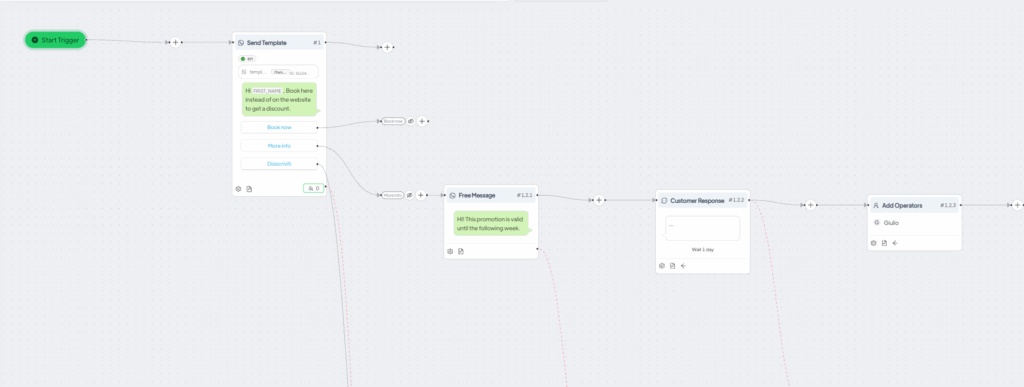
Create an automation that allows the customer to choose from the proposed buttons. - Configure the automatic response for free messages
In the automation section for the response to a button, after defining the response message, select the “Customer Response” option.
This feature enables an automatic action if the customer sends a free message outside the automated flow. Possible automatic actions include:- Sending a generic message: for example, “Thank you for your message, an operator will respond to you as soon as possible.”
- Assigning an operator: In this case, you can associate the chat with a specific operator by identifying the consultant through a label.
Related articles #
How to link a chat button on the site to an automated response





