
Within the Automations section, you have the ability to create customized flows to improve contact management and engagement through the Branching option.
What is the Branching Option? #
The Branching option allows you to route contacts through different paths based on specific criteria. Essentially, you can check the value in a given field and, depending on its content, direct the contact down a particular path. This tool is essential for tailoring automations and ensuring that each contact receives the most relevant action for their needs.
How Does Branching Work? #
To use the Branching option, follow these simple steps:
- Access the Automations section of the platform and select a trigger.
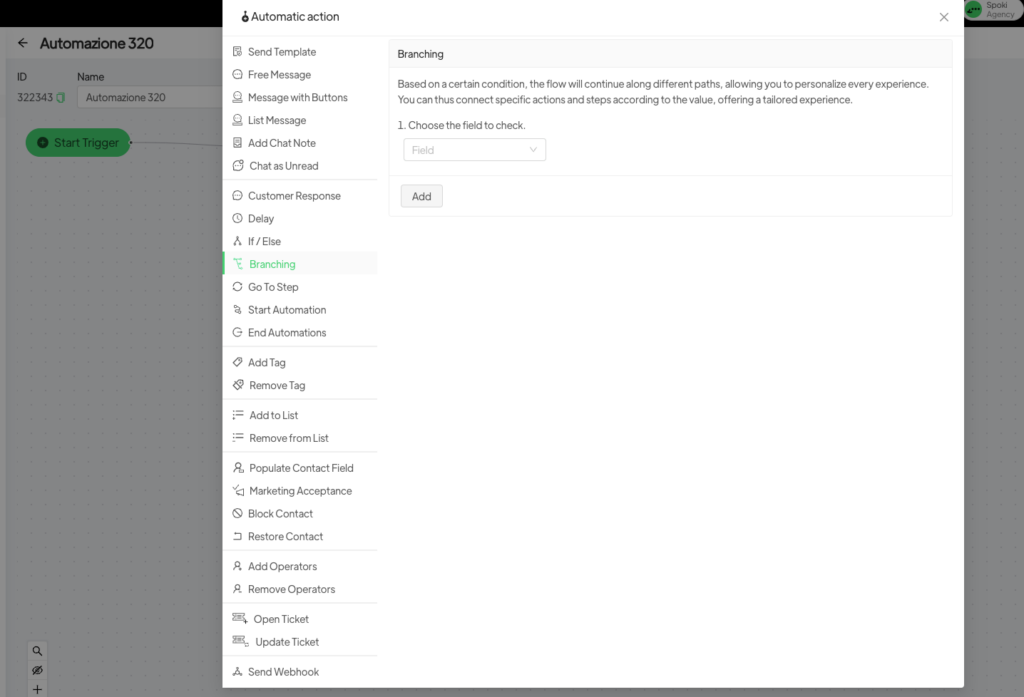
- Add a step and choose the Branching option.
- Select the field you want to base the split on.
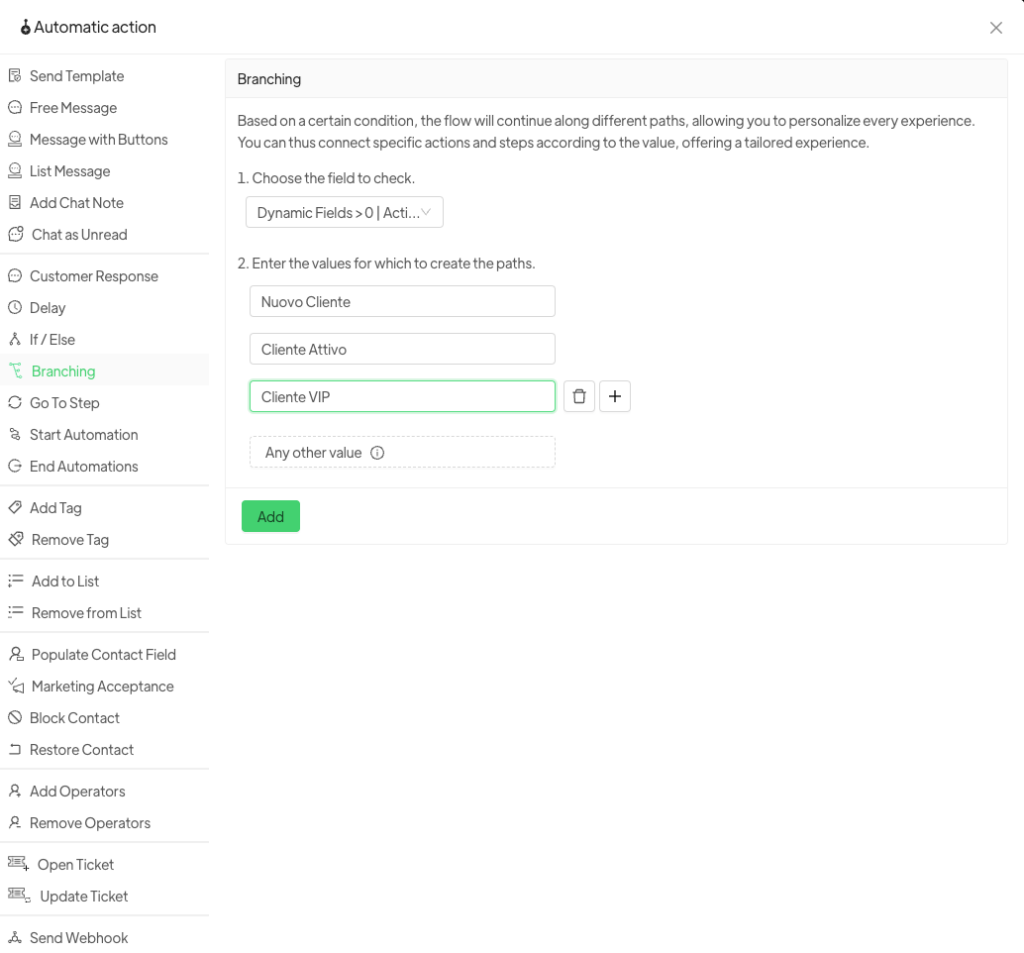
- Enter the reference values:
- If the value equals “X”, the contact will follow Path A.
- If the value equals “Y”, the contact will follow Path B.
- If the value equals “Z”, the contact will follow Path C.
- Define the actions for each path.
Advantages of the Branching Option #
- More precise automations: Each contact receives communications and actions based on specific data, without the need for endless IF/ELSE conditions.
- Greater personalization: Adapt the path according to the unique characteristics of the contact.
- Operational efficiency: Avoid manual processes and reduce the time spent managing automations.
Example Use Case #
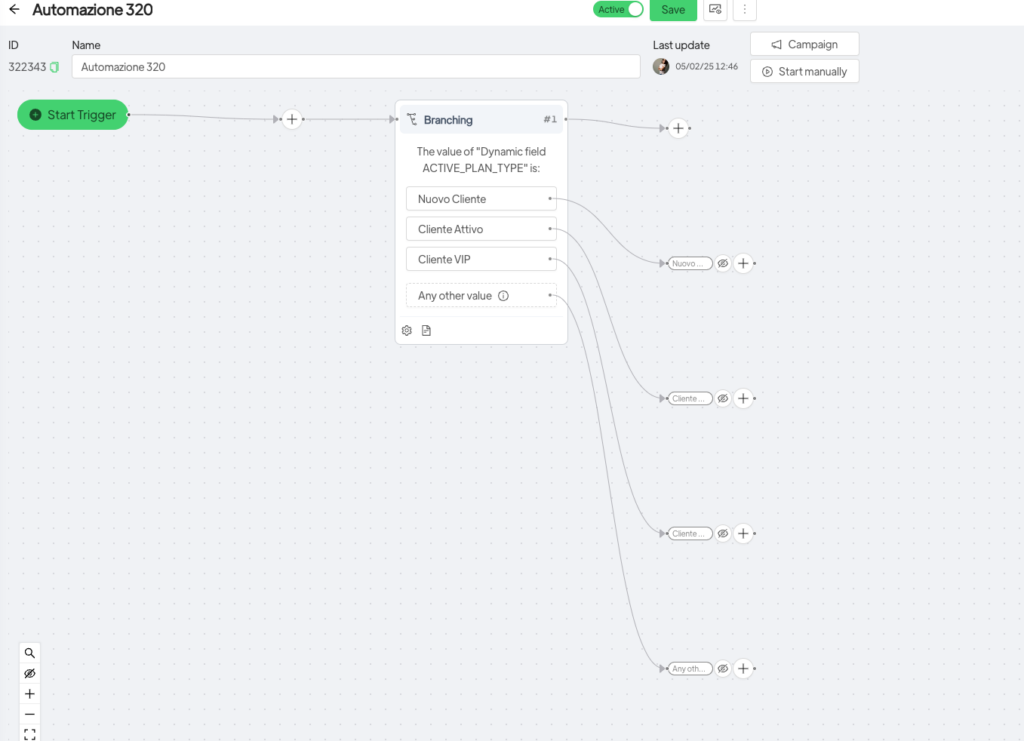
Suppose you have a field called Customer Type with three possible values: New Customer, Active Customer, and VIP Customer. Using the Branching option, you can create three distinct paths:
- Path A: If Customer Type = New Customer → send a welcome message.
- Path B: If Customer Type = Active Customer → send a message with product suggestions.
- Path C: If Customer Type = VIP Customer → assign a dedicated account manager.
Conclusion #
The Branching option helps you build smarter, more targeted automations, improving contact management and optimizing customer communication. Take advantage of this feature to make your automations more effective and personalized!





