
With the new Artificial Intelligence (AI) feature, you can receive personalized suggestions for creating your templates quickly and efficiently.
To use this feature, go to the Templates section of the platform, click on New (green button at the top right), and then select Generate with AI.
Alternatively, you can click on Blank, configure the template according to the desired type, click Create, and then select Suggest Message, as shown in the screenshot below.
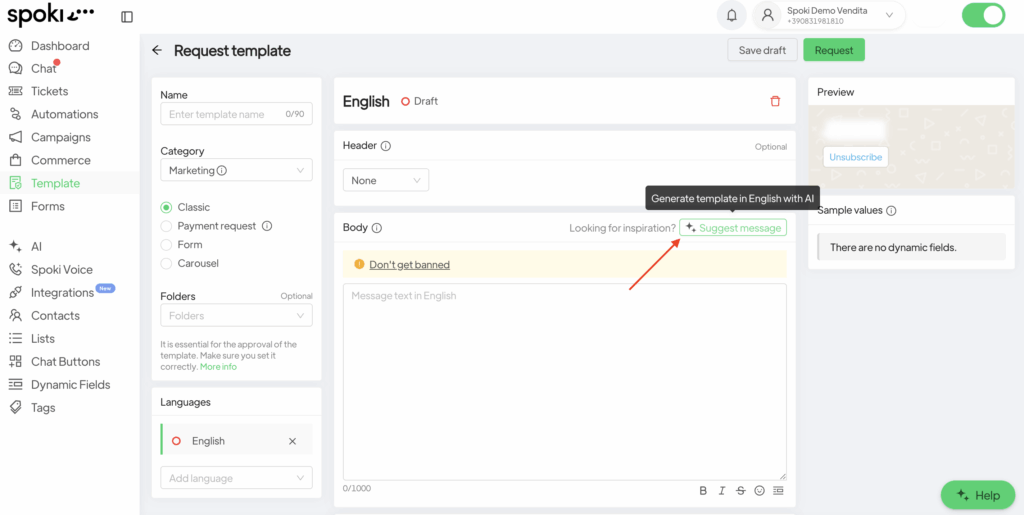
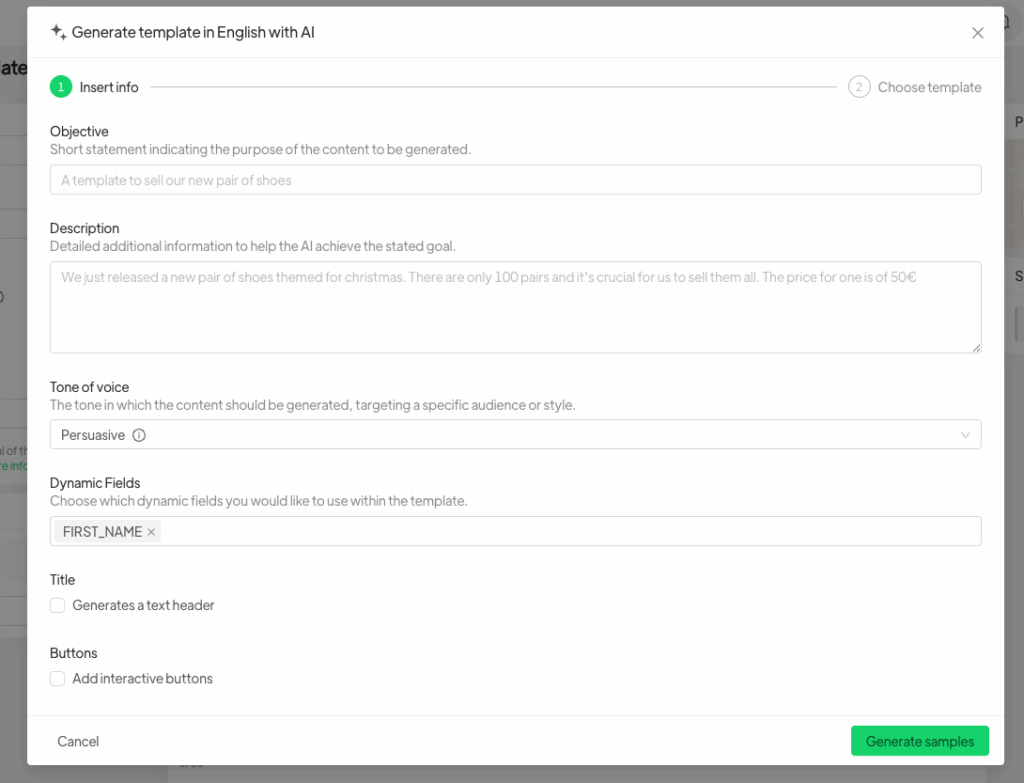
After clicking on Suggest Message, you will need to provide the following:
Template Objective: a brief instruction indicating the purpose of the content to be generated;
Description: additional information that can help the AI achieve the specified objective;
Tone of Voice: the tone in which the content should be generated;
Dynamic Fields: the dynamic fields you wish to include within the template.
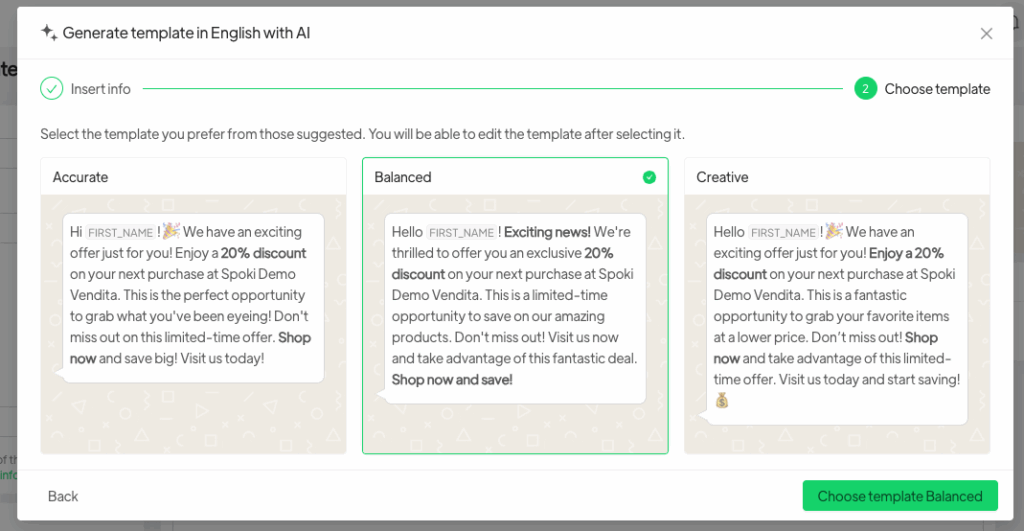
Finally, once all the required information has been provided, the AI will generate three different template options, each with a distinct style. You will be free to choose the one that best fits your communication needs.
Even after selection, the template remains fully editable.
From here on, you may continue creating the template as usual.





