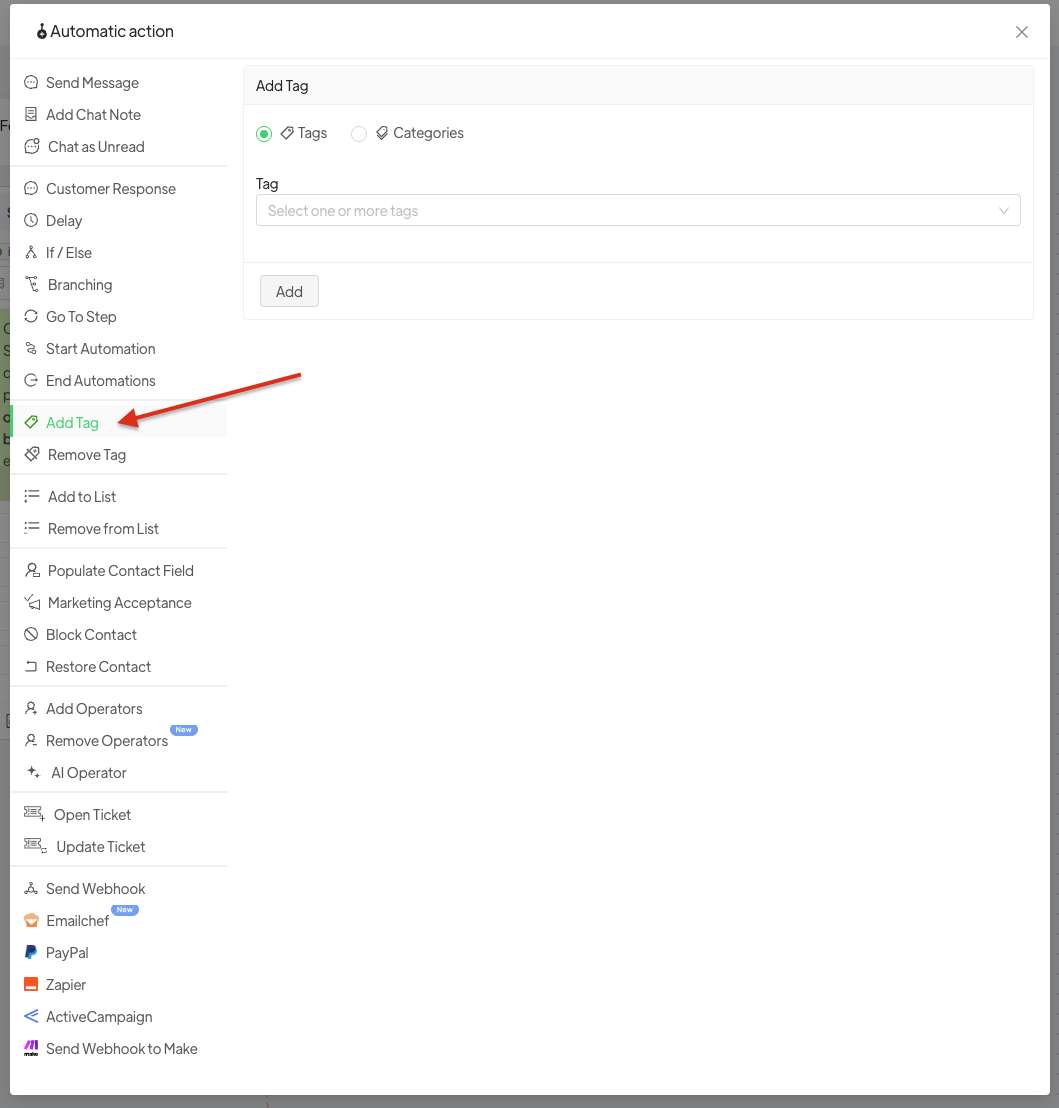
It is possible to add a tag before manually inserting it into master data or contacts.
- Go to Automations > NEW > Add Step > insert the desired Template
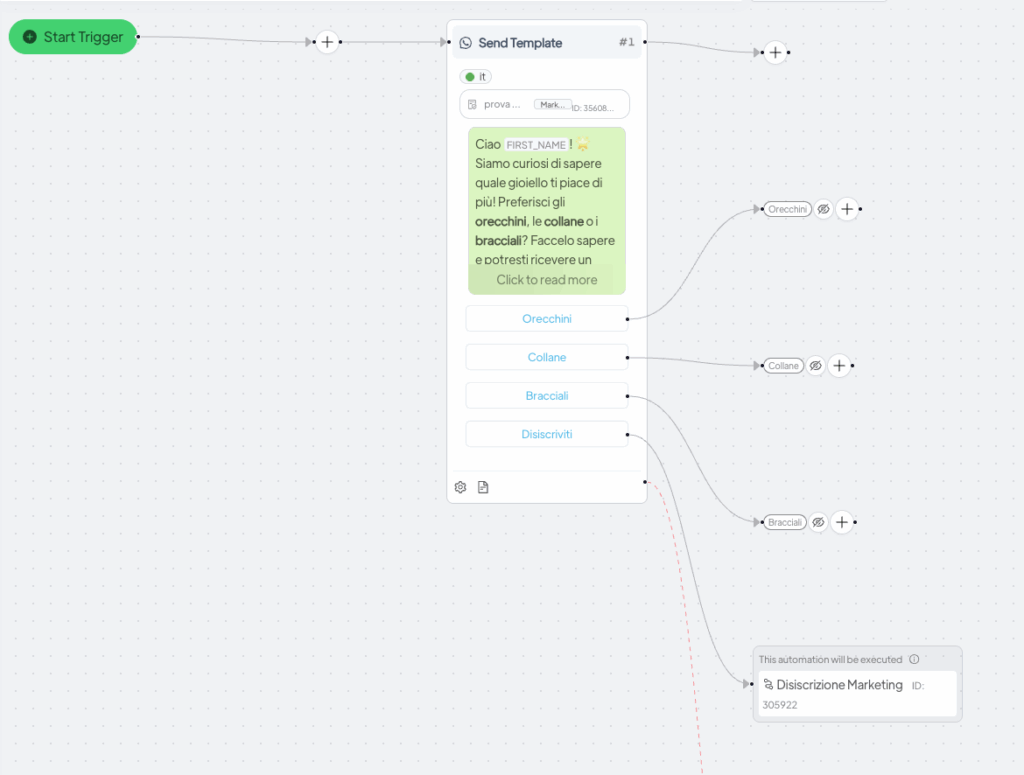
- Next, click the + button corresponding to the step where you want to add the tag, and from Add Step, select Add Tag: you can either add an existing tag or create a new one.