
By adding Spoki to your Home, you can receive notifications for new messages to read (currently only for Android devices and PCs).
Below is information on how to turn on notifications:
Go to the button at the top right of the platform and access your Profile (notifications can be customized for each user). On the right, you will see the following screen, where you can personalize the notifications you wish to receive.
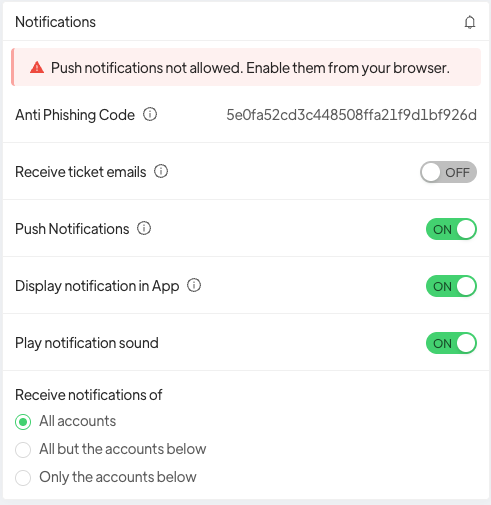
Specifically, you will be able to choose the following preferences:
Show notifications in App: show notification banner while Spoki is in use (this feature is very useful for users who have multiple accounts associated)
Play notification sound: if you like to receive sound notification
Receive notifications of: allows you to customize the activation/deactivation of notifications only on specific accounts.
Related articles #
How to create new users and assign different powers





