
This article specifies the logic underlying the creation/ modification/ replacement of multiple steps within automation.
Automation steps, in addition to containing the message/action to be performed, also contains within it the waiting step.
Lets see below what is involved in modifying automation steps: let’s take as an example a sequence of three messages with corresponding waiting step.
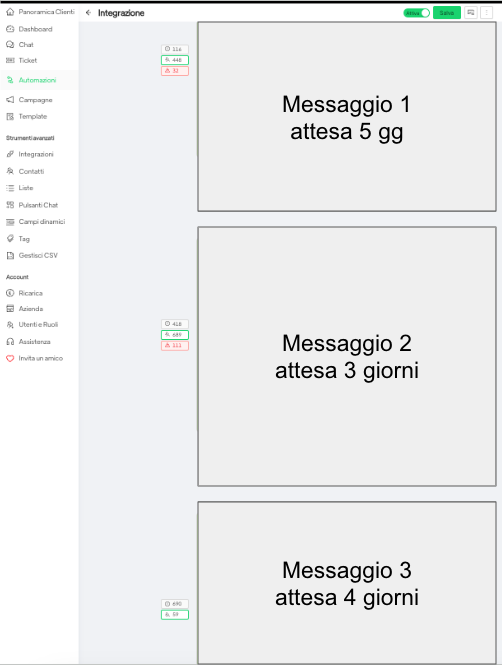
ELIMINATION OF ONE STEP: In case you decide to delete the step, all contacts waiting for step 2 will slide into step 3, starting from that moment the expected 4-day waiting time of step 3. Contacts waiting for the other steps will not be affected.
Special case: in case a step followed by the step “Any response from the customer” is deleted, that step will be ignored and the funnel will move to the next step.
MOVING A STEP: in case you decide to move a step, up or down from other existing steps, the step would drag the waiting contacts with it. So if, for example, step 2 was moved before step 1, the contacts in step 2, who had previously received the message from step 1, would receive it again.
REPLACEMENT OF A STEP: Replacing the message in an existing step does not result in any change to the contacts waiting in the same step.
ADDING A STEP: You can add a step at any height in the funnel and contacts waiting for the previous step will slide into the next step. WARNING! When adding a final step, if the contacts entered in what was the last step previously have already received the message, those contacts have now exited the entire automation and will no longer receive the final step. therefore, to add steps down in the automation, to make contacts that are already in the automation receive the new messages, you must add them to the automation BEFORE those contacts reach the last step that existed before the new messages were added





