
Thanks to this integration, you will be able to start a Spoki automation within Make.
Integration Guide #
If you haven’t done so yet, log in to the Spoki platform at this link: https://spoki.app/
1. Spoki Automation #
1.1 Create a New Automation #
Below, we will see how to create a new automation to connect to Make. If you have already created the automation, you can skip this step.
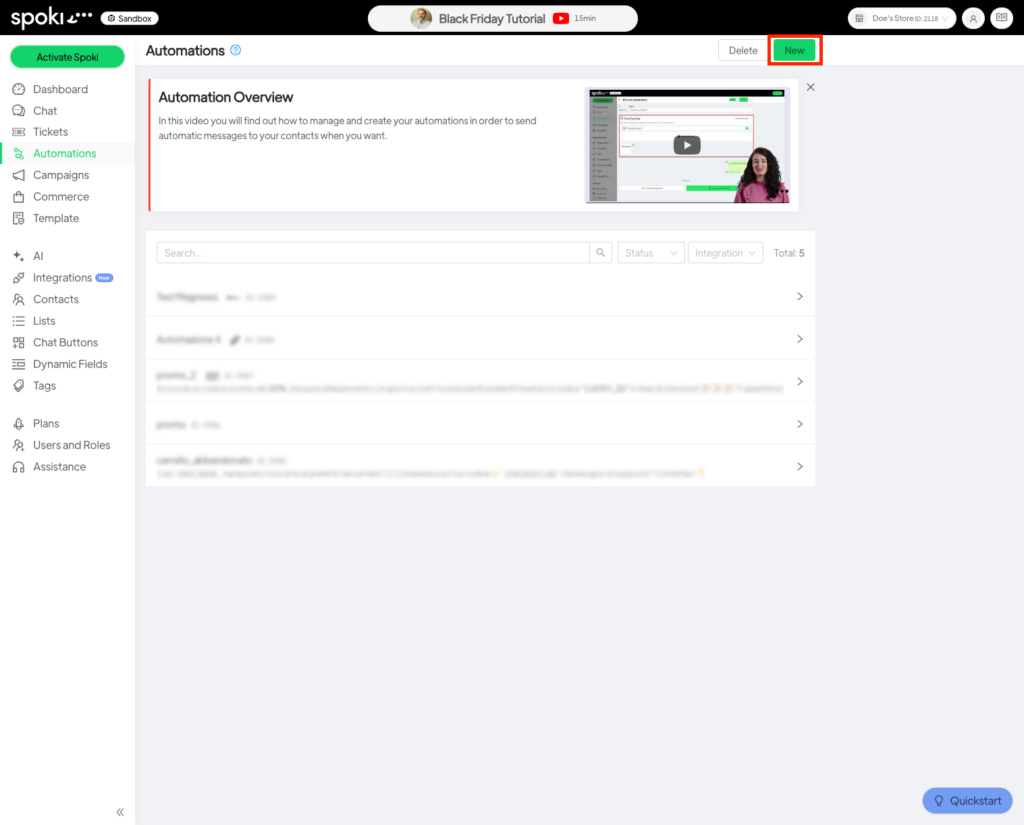
First, navigate to the Automations section as shown below and click on the New button in the upper right corner.
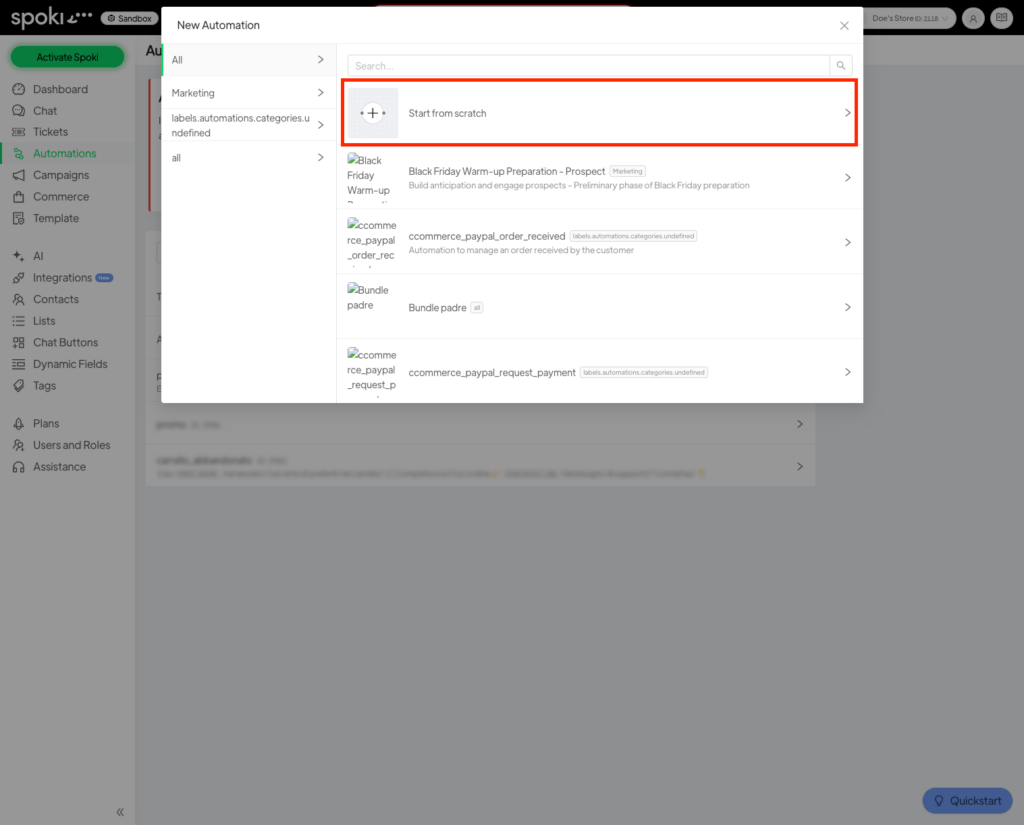
Now choose a template for your automation, or click on Blank Automation if you want to build your automation from scratch.
In the following example, we will start from an empty automation.
1.2 Add the start trigger #
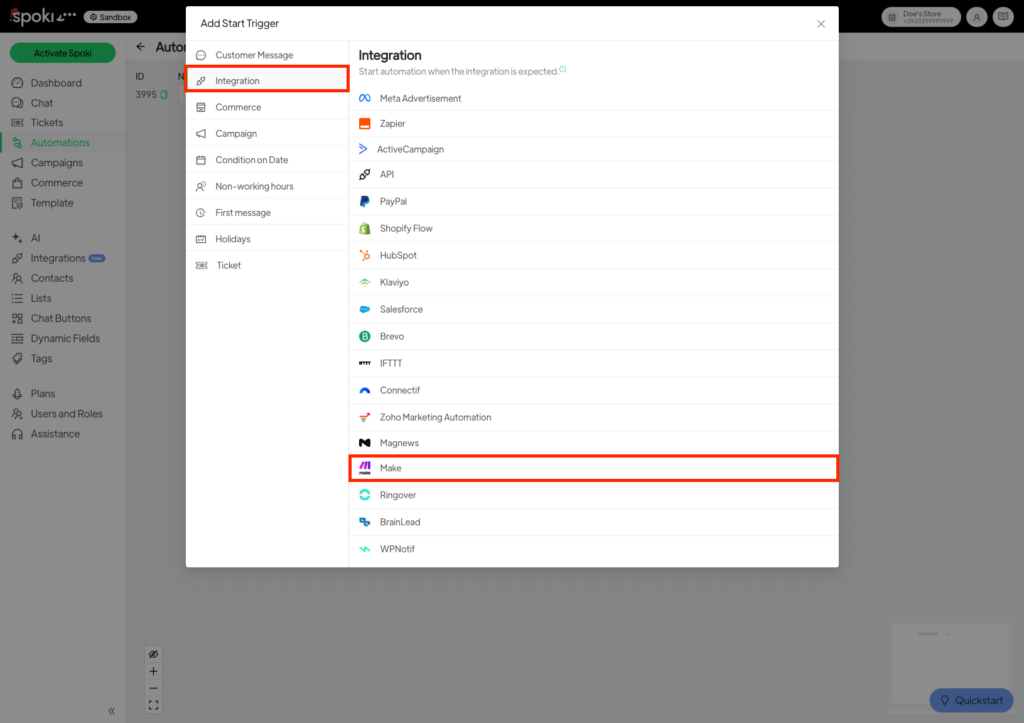
Once you have created your automation, click on Add start trigger, and in the menu that appears, select Integrations from the list on the left, and finally click on Make.
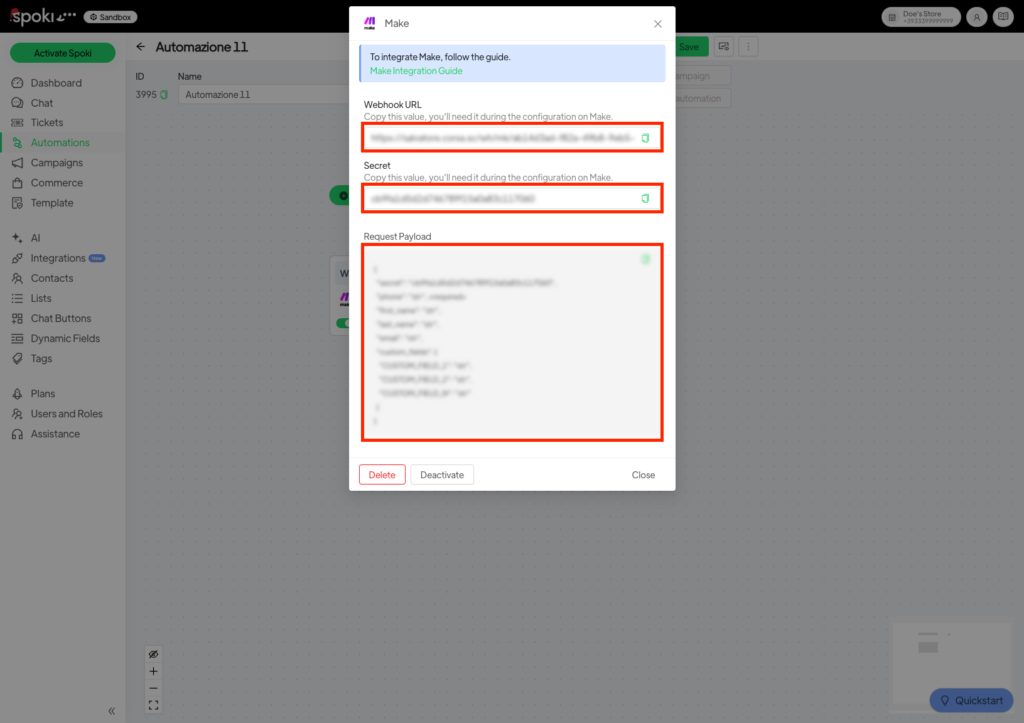
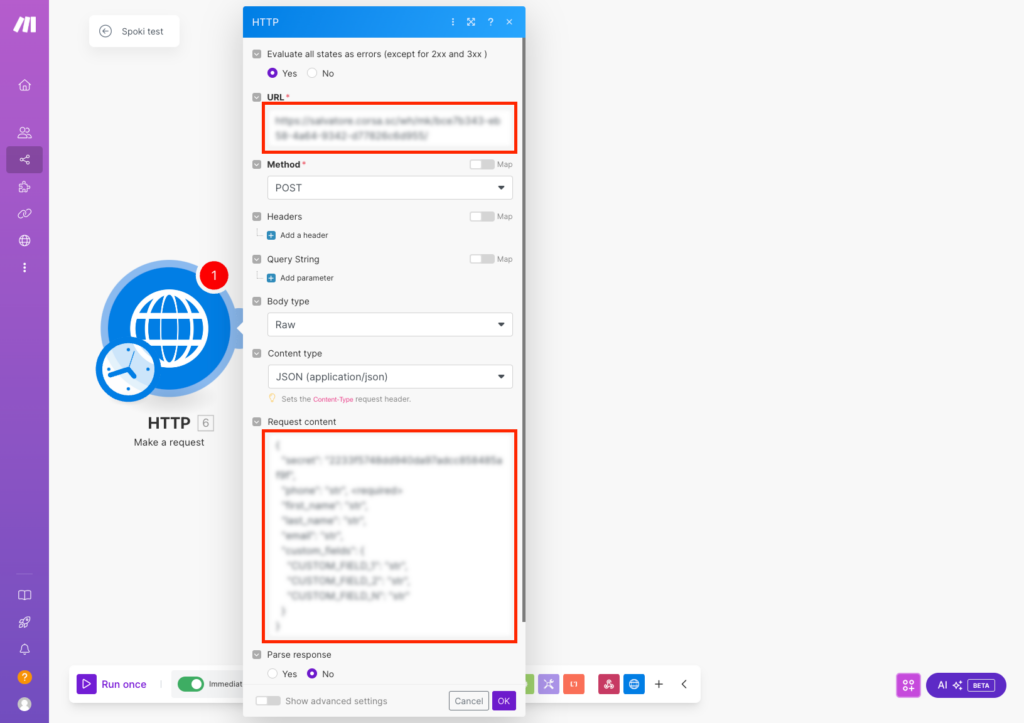
In the window that opens, take note of the Webhook URL, the Secret, and the Request Payload.
Now you are ready to move to Make.
2. Make #
If you haven’t done so yet, log in to your Make account.
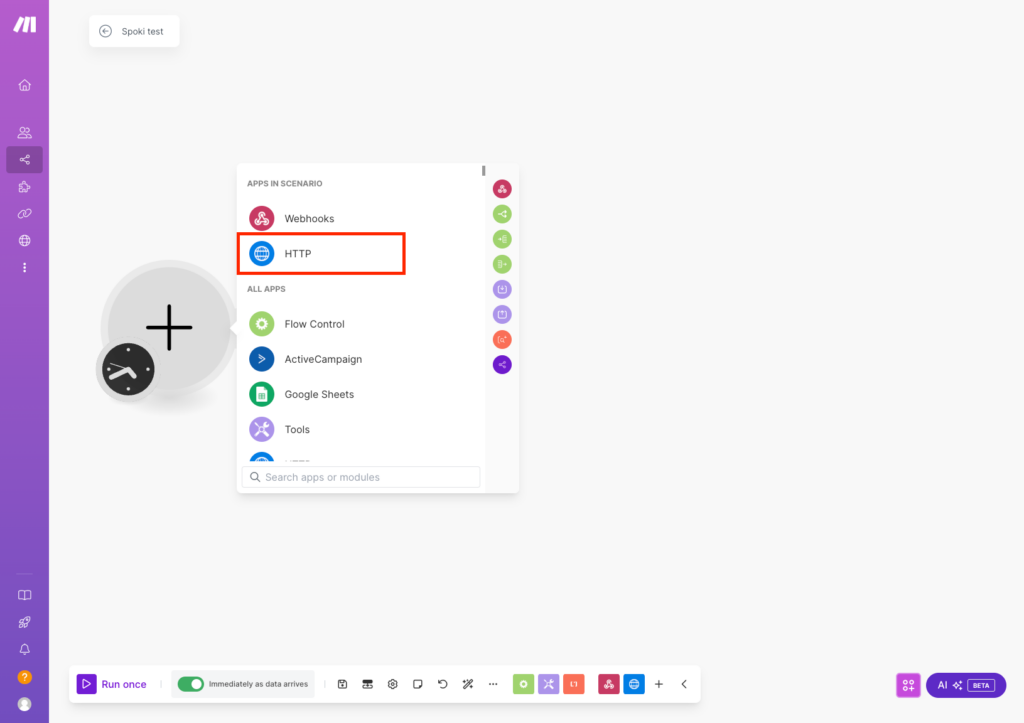
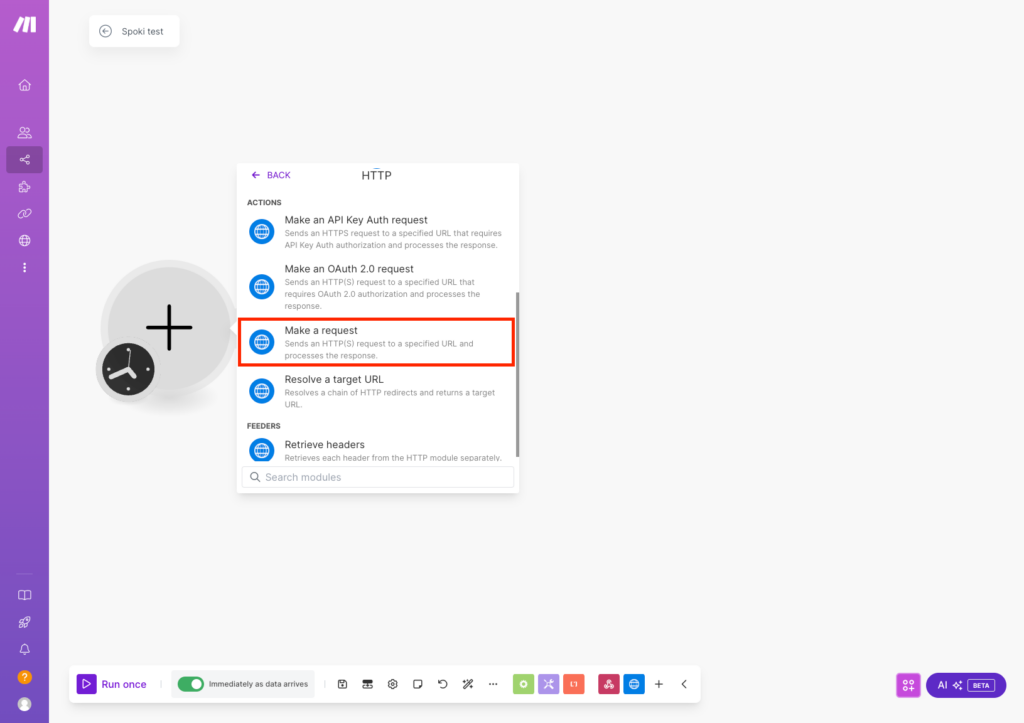
While creating a Scenario, add the HTTP step as shown in the figure.
Next, paste the Webhook URL provided by Spoki and the request payload as shown in the figure.
Now save the flow, and all that’s left to do is add any other desired steps.




