
By activating this automation, you will set up the sending of a template message that will be received by all customers who send any message to your number on specific days (e.g., holidays) that you configure.
This automation will only trigger if the message received from the customer does not correspond to any other automatic response automation.
Go to Automations > New > Trigger > Holidays.
Select the days on which this automation should run, so that whenever a customer sends a message to your number outside of any other automation, the template message will be sent.
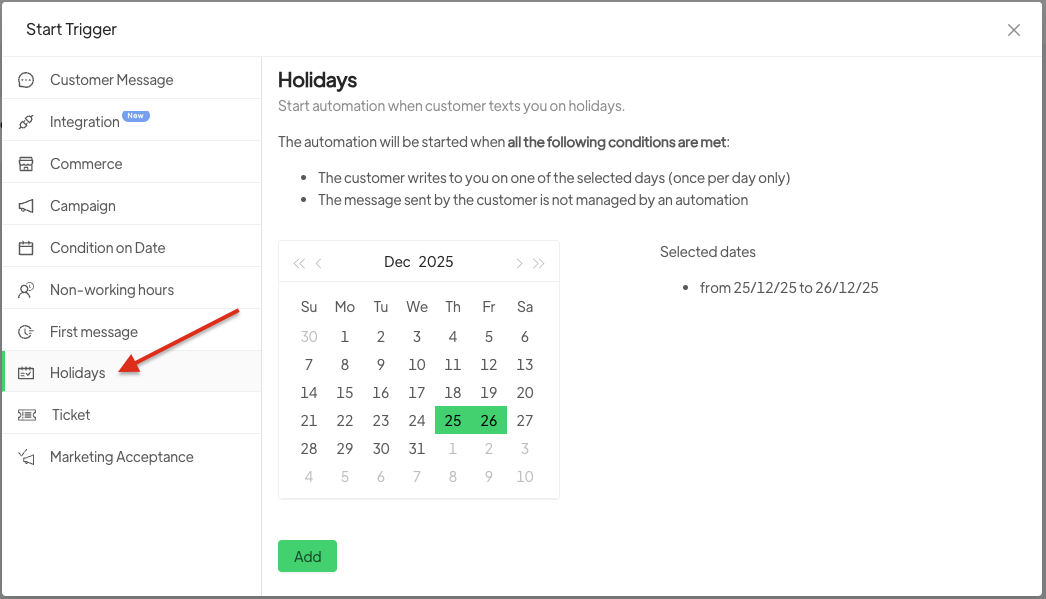
After selecting the specific period/days, click on add.
By clicking the +, you can choose the template to send.





