
In this practical guide, we’ll show you how to use Spoki and WhatsApp to maximise your results during the period that is the most strategic of the year. We have prepared for you 6 automations ready to use which you can activate immediately to engage your customers at the right moment, with the right message.
It’s not just about sending out promotions: by following the best practices set out in this article, you can optimise every touchpoint, increase your conversion rate and ensure strong performance throughout the promotional period.
Important: to ensure that your campaigns always reach their target audience and maintain their effectiveness a7> always reach their target audience and keep your account in good standing, remember to follow the best practices for sending messages on WhatsApp. This will enable you to communicate in a way effective manner and in full compliance with the policies of the platform.

The automations are already available in your Spoki account in the section New > Templates > Black Friday.
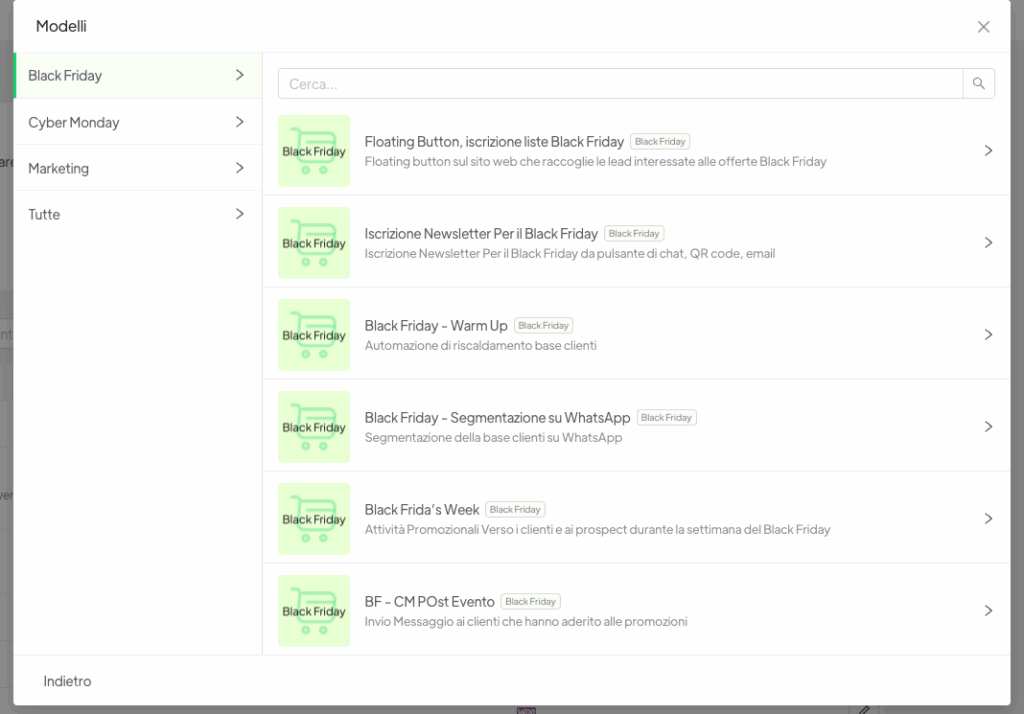
You can duplicate them and customise them according to the needs of your business.
All the text is for illustrative purposes and can be fully edited.
—
Automation 1: Floating Button, sign-up lists Black Friday #
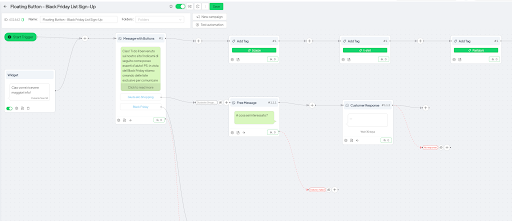
Objective: To collect voluntary sign-ups for the Black Friday mailing lists directly via the website
How it works
The customer clicks on the floating button installed on your website and is guided through a conversational flow which:
1. Introducing the exclusive lists for Black Friday
2. It offers two options: “Guide to shopping” or “Sign up”
3. Adds automatically the customer to the list
4. Send a message of thanks
5. Provides a form fillable to select your preferences for the product
6. Assigns automatic tags based on selections made by the customer and the branches of automation
Configuration
–Trigger: Messaggio dal cliente tramite pulsante di chat creato nella sezione “Pulsanti di chat” in piattaforma; floating button che avvia l’automazione dall’esterno di Spoki
– Where to configure it: “Chat Buttons” section in Spoki
– Installation from outside of WhatsApp: Script to add the floating button to your website, direct link, or QR code
– Templates: Fully customizable
Benefits
✅ Smart Segmentation– Lists of hot prospects who have expressed voluntary interest
✅ Precise targeting — Sending promotions only for products of interest (e.g., only T-shirts)
✅ High conversion rate – Customers who are already interested in Black Friday promotions
✅ Upselling made easier – Ability to follow up with targeted offers
✅ Integration with e-commerce – Compatible with Shopify for managing sales and support
Automation 2: Sign Up for the Black Friday Newsletter #
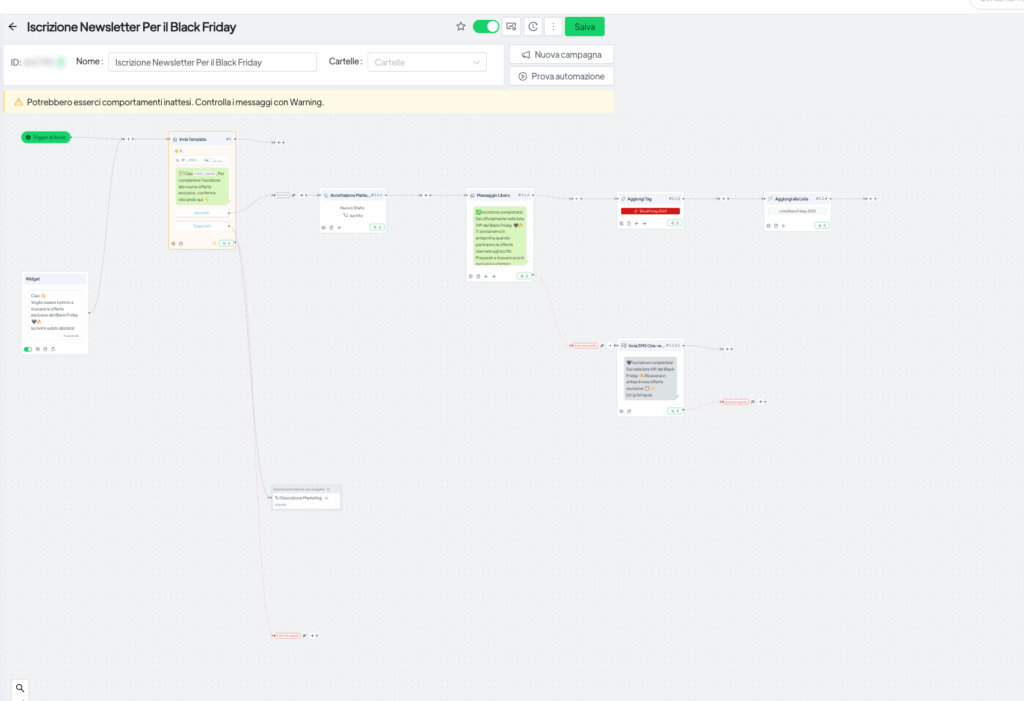
Objective: Create a list of VIPs through a push campaign using permission-based marketing
How it works
A push campaign offers to customers the best of sign up for the WhatsApp channel to receive exclusive offers:
1. Send a personalized message: “Hi [name], you are one of our best customers…”
2. Proposal registration with call to action
3. Step of acceptance of mandatory marketing
4. Confirmation: “You are officially on the VIP list”
5. Automatic addition to tags and lists
6. Button unsubscribe always available
Configuration
Trigger: Campaign scheduled push
System: Acceptance of internal marketing Spoki
Compliance: Management of automatic opt-in/opt-out
Benefits
✅ GDPR compliant – Management of marketing consent
✅ Exclusivity – A sense of privilege for VIP customers
✅ Early access – Preview offers for subscribers only
✅ Protection reputation – Filtering automatic of those who have unsubscribed
✅ Segmentation advanced – Easy identification of VIP customers
Automation 3: Black Friday Warm-Up #
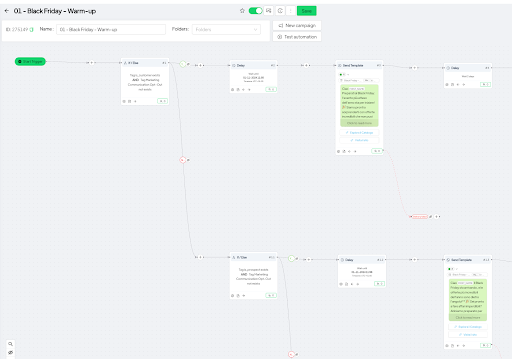
Objective: Prepare customers in advance, building anticipation for Black Friday
How it works
A multi-step campaign that “warms up” customers gradually:
1. Initial Filter– Distinguishes existing customers from prospects
2. Programmable delay– e.g., departure on November 10 November
3. First messages – “Get ready for Black Friday! The most anticipated event of the year…”
4. Two links: explore catalog + visit website
5. Follow-up after 2 days – “Black Friday is getting closer and closer”
6. Fallback SMS – For messages that failed to send on WhatsApp
Configuration
Supported languages : all
Channels: WhatsApp + SMS One Way
Segmentation: Automatic based on actions
Benefits
✅ Effective warm-up – Customers are prepared and expectations are set
✅ Total Coverage– SMS fallback for numbers without WhatsApp
✅ Low costs– One-Way SMS at €0.045, not included in the plan until the year 2025
✅ Tailored messages – Different copy for customers vs. prospects
✅ Tracking conversions – Monitoring prospects who convert
✅ Multi-channel – WhatsApp + SMS for maximum reach
Automation 4: Black Friday Segmentation on WhatsApp #
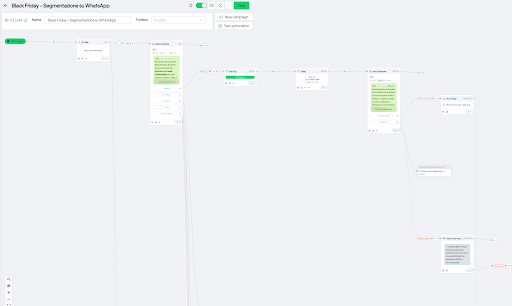
Objective: Discover the product preferences of customers for ultra-personalized mailings
How it works
Launch during the week before Black Friday with a discovery mechanism:
1. Initial check – Existing customer vs. new customer
2. Message invitation – “November, the month of Black Friday! We have a surprise…”
3. Interactive form – Customer selects categories of interest products
4. Complete option– “All products” for those who want everything
5. Targeted messages – Each category has its own dedicated step
6. Send automatically – Via programmable delay
Logic of operation
Customer selects “T-shirt” → Receives a promotion only on T-shirts; this could apply to any other item or criterion
Customer selects “All products” → Receives a link to the complete catalog
Configuration
Timing: Week before Black Friday
Target: Primarily existing customers
Customization: Separate steps for each category
Benefits
✅ Discovery Insights – Understanding which products are most in demand
✅ Zero spam – Every customer receives only relevant content
✅ Total automation – Set up and let the the workflow operate autonomously
✅ Targeted campaigns – Ability to create campaigns for each category
✅ Analytics — Tags for future analysis of product trends
✅ Optimized ROI – Focus on customers who are already existing (more likely to make a purchase)
Automation 5: Black Friday Week #
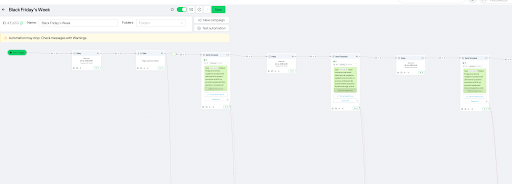
Objective: Promotional activities targeting customers and prospects during Black Friday week of
How it works
The core automation that starts on November 24 (or a custom date):
1. Optional delay- Until November 24 or manual launch
2. Segmentation – Check customers/prospects for different copy
3. Message launch – With discounts actual and links to offers
4. Step-if products – If used automation 4, filter by products favorites
5. 4 automatic follow-ups – Distributed during the Black Friday period
6. Check “purchased” – Before any follow-up (if integrated e-commerce)
7. Automatic stop – If the customer has already purchased (an optional tag check that can be added to the automation)
8. Fallback SMS – For every sending attempt that fails
9. Tracking conversions – Identify prospects→customers
Benefits
✅ Campaign complete – 4 automatic follow-ups throughout the entire period
✅ Intelligent anti-spam – Automatic blocking for those who have purchased
✅ Reputation protected – Don’t annoy customers who are already converted
✅ Hyper-personalization — When combined with automation 4
✅ Tracked conversions – Identification of new customers
✅Maximum reach – SMS guarantees delivery every time
✅ Total flexibility- Launch manual or automatic
✅ Multiple versions – Different copies for each segment
Automation 6: BF CM Post Event #
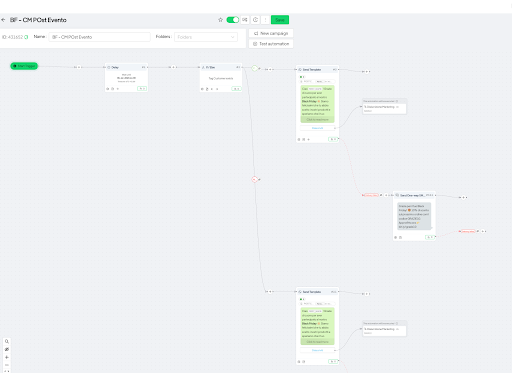
Objective: Post-sale retention, remarketing, and continuity of promotions from Black Friday to Cyber Monday
How it works
Combined automation that manages both the phase following Black Friday and the Cyber Monday:
Phase 1: Post-Black Friday (e.g., December 5)
1. Check customer – Check whether the customer purchased during the Black Friday
2. Thank you message – Appreciation for the purchase
3. Bonus discount – E.g., an extra 10% as a thank-you
4. Invitation for a second purchase – Cross-selling products that complement
5. Request for feedback – Regarding satisfaction with the product
Phase 2: Cyber Monday
1. Message for continuity – “Black Friday is over, but the deals keep coming!”
2. Specific Focus – “Cyber Monday and discounts online up to 60%”
3. Target categories– Technology and gadgets
4. E-commerce traffic – Drive to the online site
5. Customer/Prospect Check – Same segmentation as Black Friday
Configuration
– Timing: Post-Black Friday + Cyber Monday
– Segmentation: Customer has purchased / Has not purchased
– Copy: Different for each step
Strategy
Automation implements a strategy based on a two-pronged approach:
For those who have purchased:
Smart remarketing with a threefold objective:
1. Thank the customer
2. Check satisfaction
3. Offer incentives for a second purchase
For those who haven’t purchased:
– Second opportunity with Cyber Monday
– Focus on technology and gadgets
– Maintaining promotional momentum
Benefits
✅ Active retention – Keeps contact warm after purchase
✅ Feedback loop – Collecting feedback on the product
✅ Cross-selling — Selling products that complement those who have already purchased
✅ Customer Loyalty – Customers feel appreciated with an extra discount
✅ Maintained momentum – Take advantage of the momentum from Black Friday for Cyber Monday
✅ Vertical targeting – Focus on technology and gadgets for Cyber Monday
✅ Second opportunity – For those who didn’t buy on Black Friday
✅ Fewer competitors – Fewer companies active on Cyber Monday
✅ Sales period extension – Continue to convert after Black Friday
✅ Unified System– A single automation solution for managing all aspects of post-event operations
Best Practices and Guidelines #
Tips for Preventing a WhatsApp Ban
To keep your WhatsApp API account active and avoid being banned, it is essential to follow these rules. These rules apply regardless of whether it’s Black Friday or Cyber Monday or else.
📋 Lists and Properties of Contacts
– ✅ Use exclusively lists you directly own
– ❌ Never contact lists purchased from third parties
– ✅ Provide always an option to unsubscribe
📊 Content and Messages
Diversification template:
– Break down long lists into sublists
– Update the templates periodically
**Phrases to Avoid (Spam):**
– ❌ “Best deal on the market”
– ❌ “You were selected”
– ❌ “You won”
– ❌ Any language used in telemarketing
Optimization:
– Messages that are concise and of value
– Not just aggressive marketing
– Include nurturing content
⏱️ Frequency of Contact
Golden Rules:
1. First communication → A single message
2. Follow-up → Only after a response from the customer (e.g., clicking the button)
3. In the case of customers who do not respond → Max 1 message every 10–15 days
4. Check daily → Avoid too many messages to the same contact
Business Manager and audits #
If your business tends to receive reports/blocks:
– ⚠ ️ DO NOT send bulk messages before completing the verification of Facebook Business Manager
– Wait for approval in full before launching large-scale campaigns
💡 The Golden Rule
> Before sending any message, ask yourself: “Would you block or report this message if you received it yourself?”
If the answer is YES → STOP and rethink the message!
🎯 Fundamental Principle
WhatsApp ≠ Email: WhatsApp is a preferred channel.
You cannot and must not reply to the email messages. Walk “on tip toes”.
E-commerce Integration #
To maximize the effectiveness of automations for your e-commerce business:
Setup Required
1. Enable automation “order created”
– Allows purchases to be tracked in real time
– Assigns automatic tags
2. Configure specific tags
– E.g., “purchased”, “Black Friday 2025”, “product_category”
– Enables advanced segmentation
3. Implement customer/non-customer filters
– In all the automations
– For messages sorted by category
4. Filter lists by products purchased
– Enables targeted cross-selling
– Avoid promotions that are redundant
SMS Management #
Informations about the SMS One-Way Service – When to Use the SMS
✅ Fallback for messages that WhatsApp failed to send
✅ Numbers without WhatsApp
✅ Numbers with devices that are incompatible
✅ Backup for messages that are critical (e.g., order confirmations)