
⚠️ To ensure the migration completes successfully, it is essential to strictly follow every single step outlined in the guide: any deviation from the procedure could compromise its successful outcome.
To proceed, you’ll need to make sure your Business Manager is verified and that the display name is already approved.
Once that’s done, you’ll need to disable two-factor authentication (2FA). To do this, just follow these simple steps:
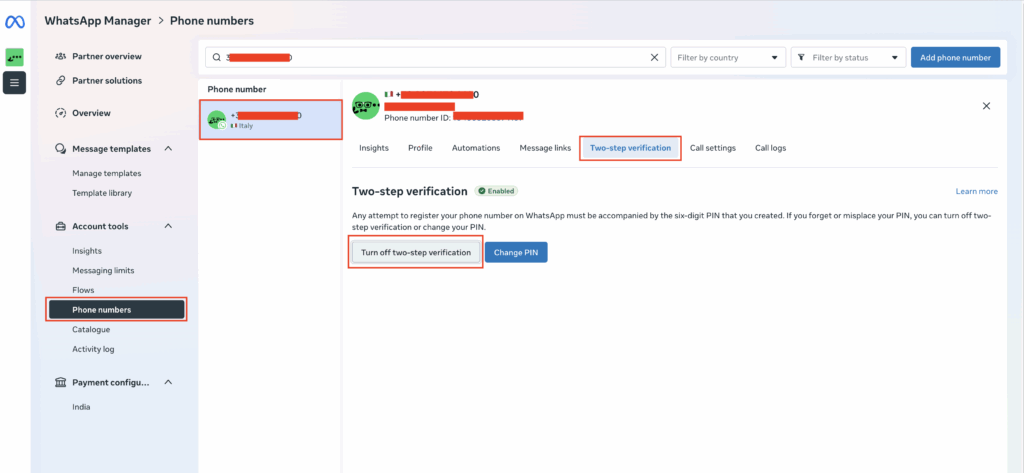
- In WhatsApp Manager, open Account tools → Phone numbers, select this number, go to the “Two-step verification” tab, and click “Turn off two-step verification.”
Note: If the button isn’t clickable:
This means you need to set an email address in the Business Portfolio.
Go to this link: Meta Business info
Scroll to the bottom of the page and click “Add email address.”
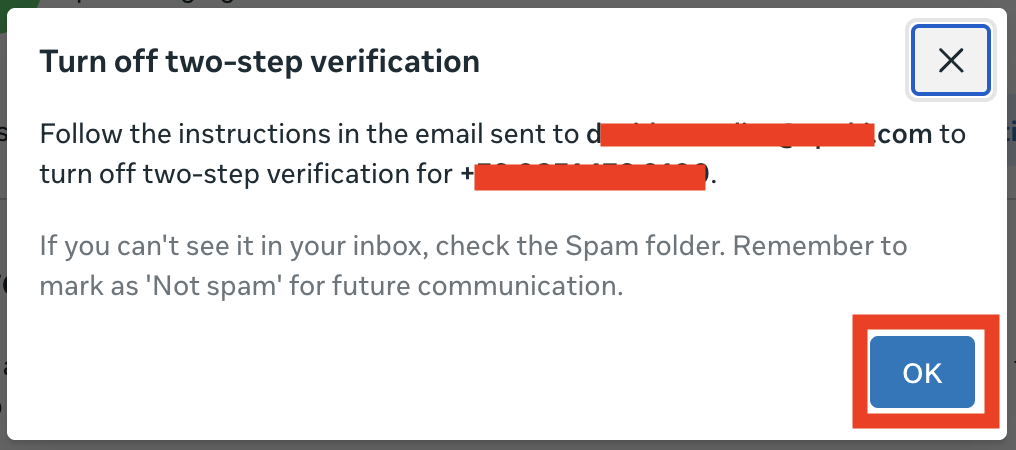
- Meta sends a confirmation email to the Business Manager administrator: follow the instructions to disable the PIN (also check your Spam folder).
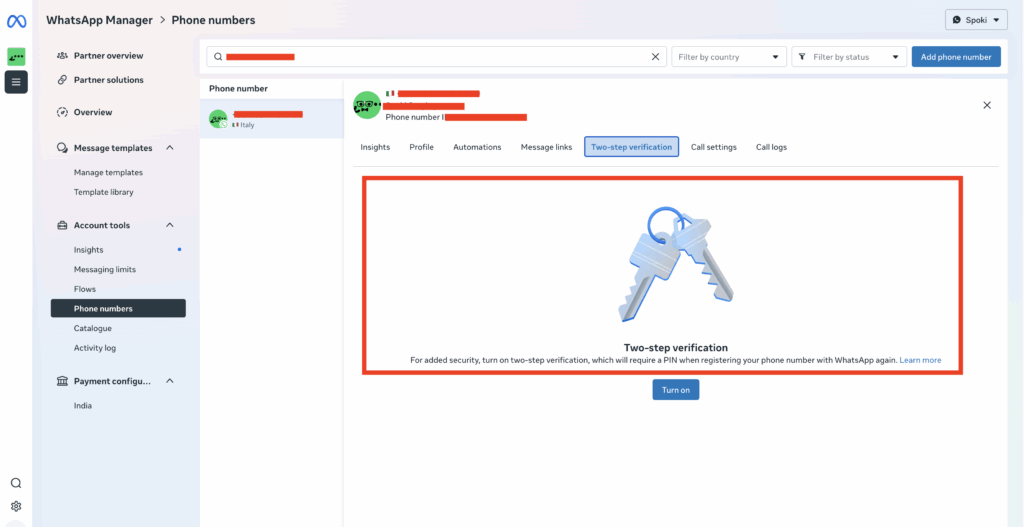
- If the tab only shows “Enable,” the PIN is already disabled. You can reconnect right away.
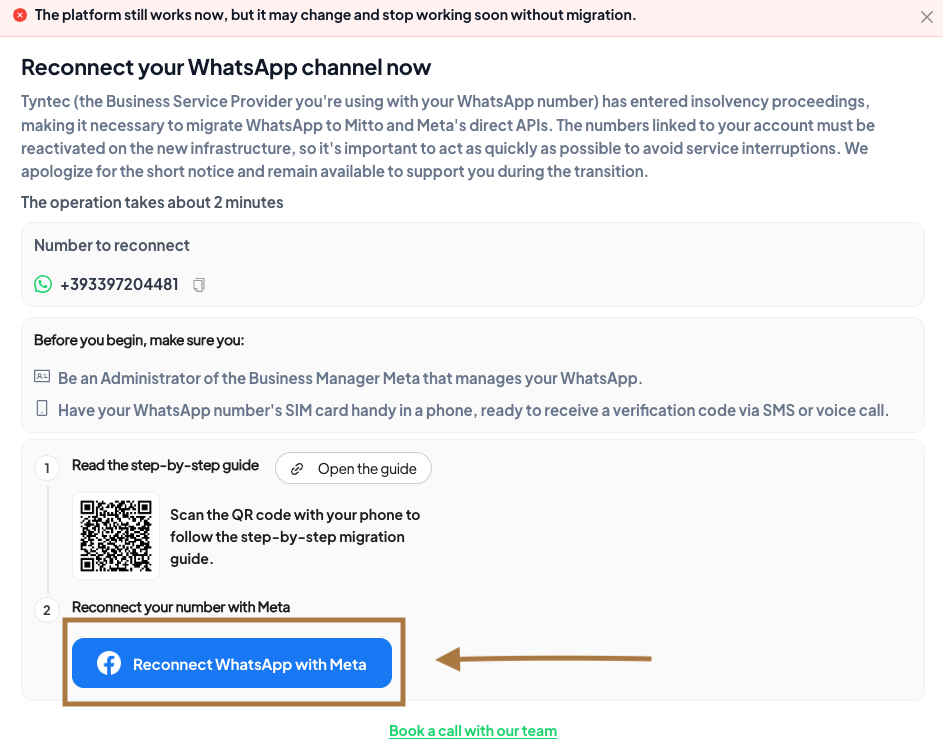
Once two-factor authentication (2FA) has actually been disabled, you can proceed by repeating the activation. There are two ways to do this:
- From the Channels section Go to Channels >> WhatsApp Chat >> Reconnect WhatsApp with Meta, then choose “Use your phone number“.

2. From the in-platform notification Log in directly from the modal that appears on the platform >> Reconnect WhatsApp with Meta, then choose “Use your phone number“.
Then continue by following these steps:
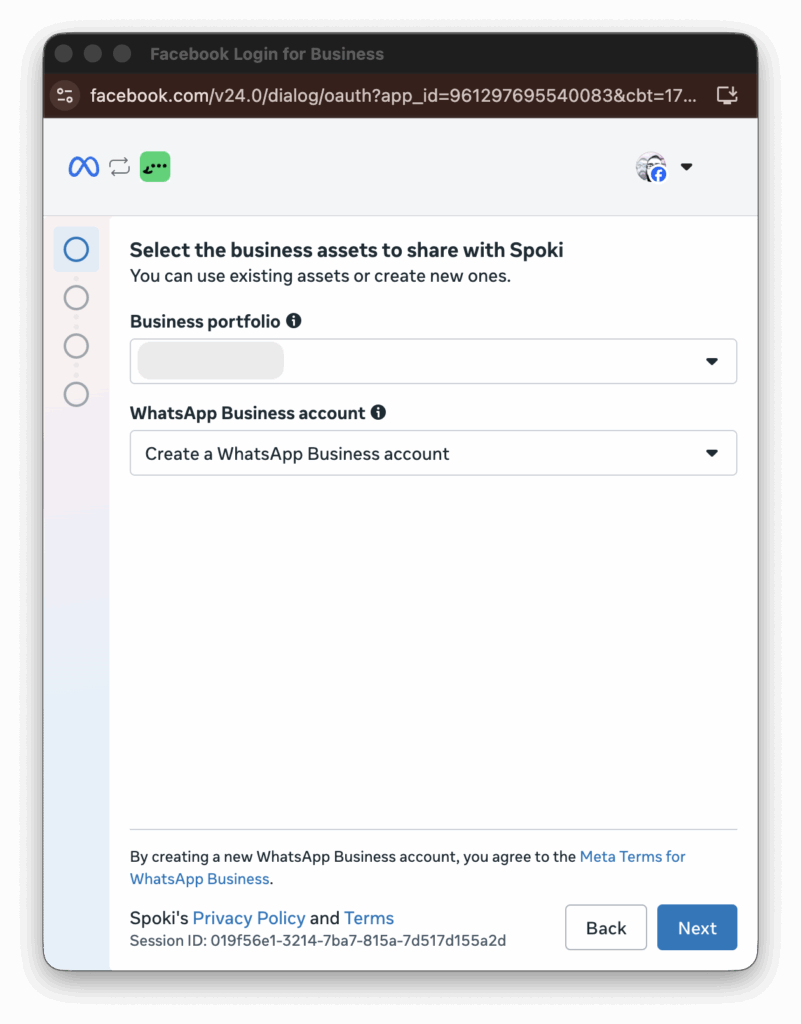
- Enter the name of your business portfolio and, under “WhatsApp Business Account,” select “Create a WhatsApp Business Account” — even if an existing account already appears as an option in the dropdown menu.
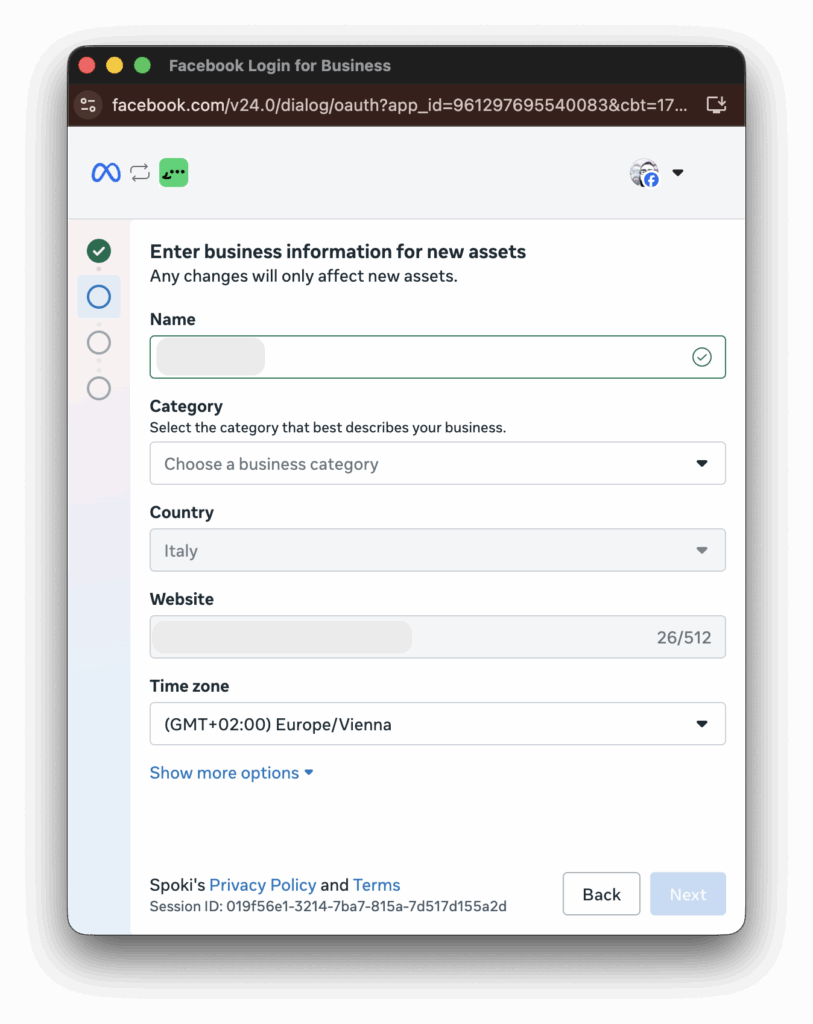
2. Enter the same business portfolio name, select the category that best fits your business, and the company website, setting the time zone (“Time zone”) to Rome.
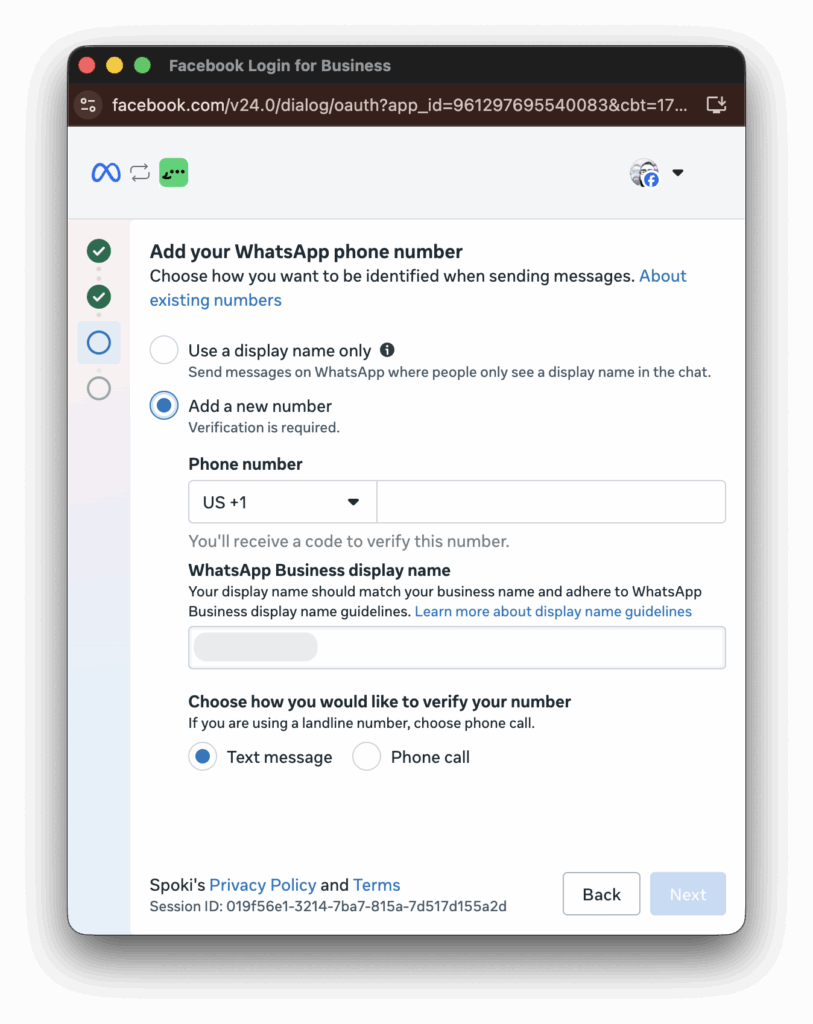
3. Enter the international dialing code and the phone number you’re migrating, enter the same name you used for your business name as the display name, and select how you’d like to receive the verification code.
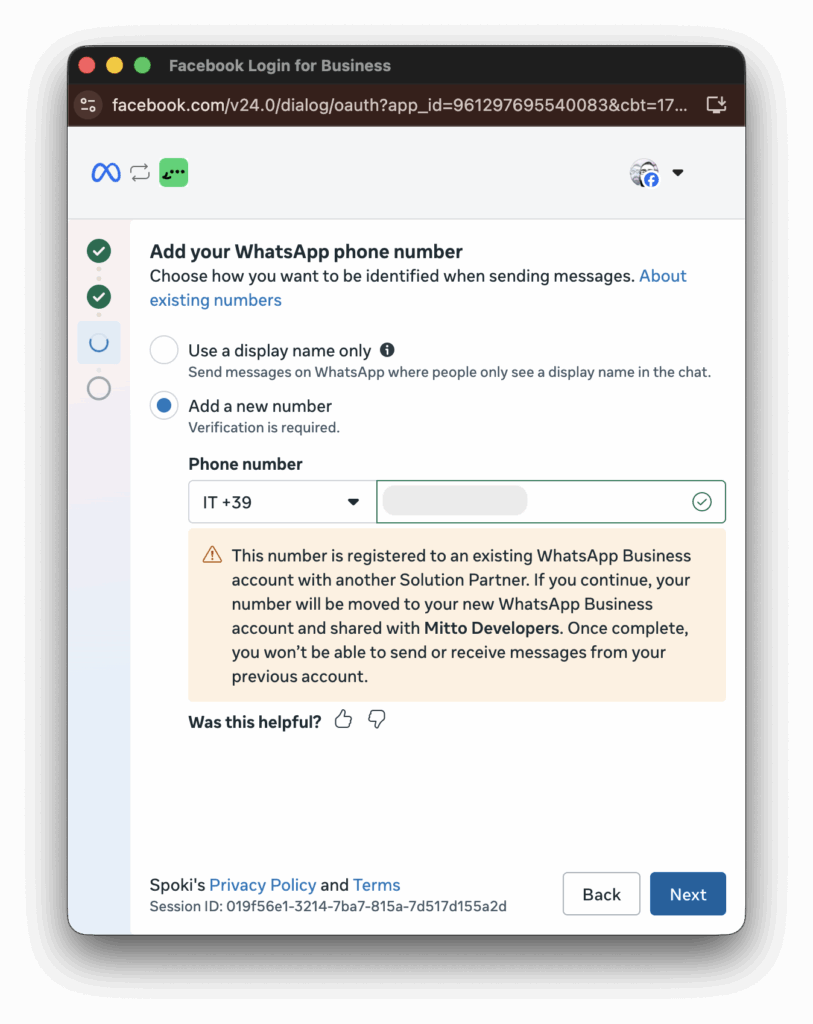
4. Don’t worry if a warning appears: it’s simply letting you know that the number is already active on another provider and that it will be moved to the new one.
5. Review the information you’re about to share and confirm to proceed.
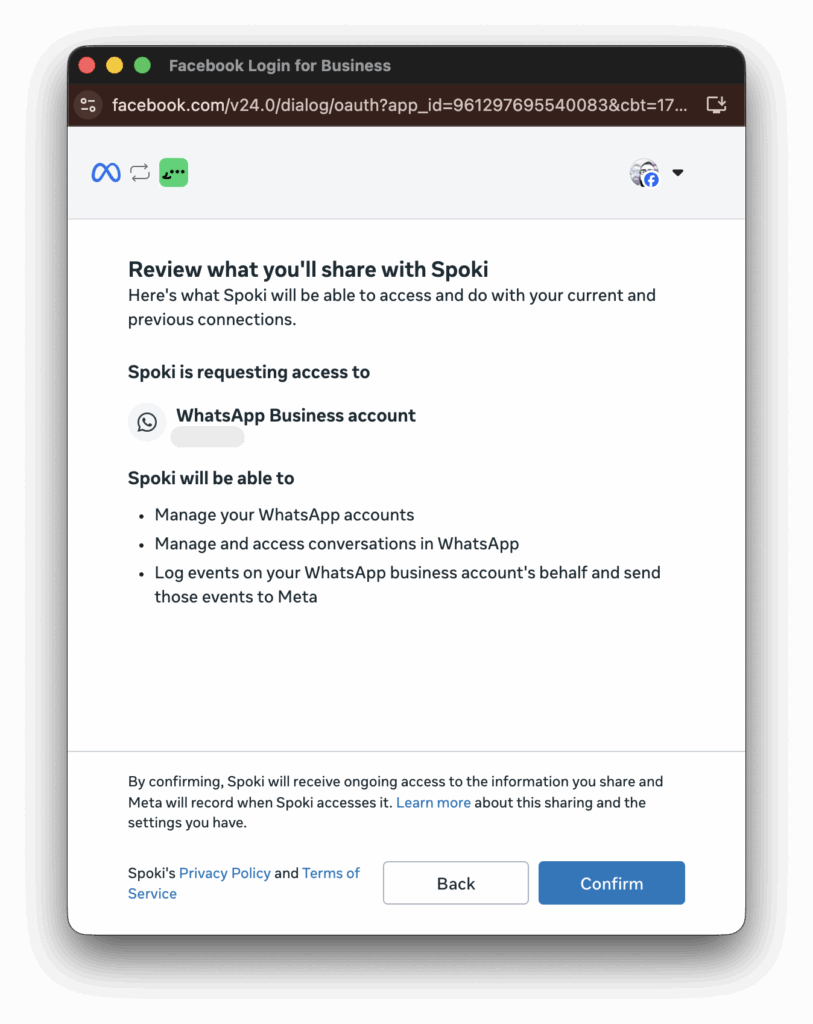
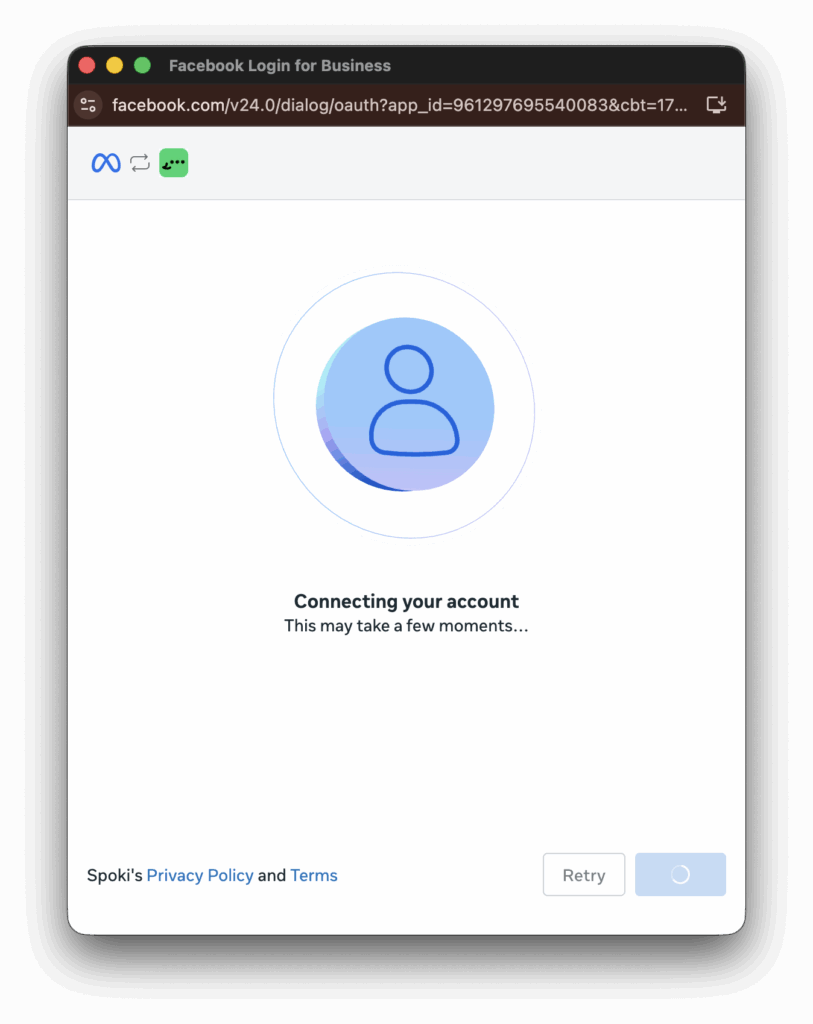
6. Wait a few moments until the process is completed.
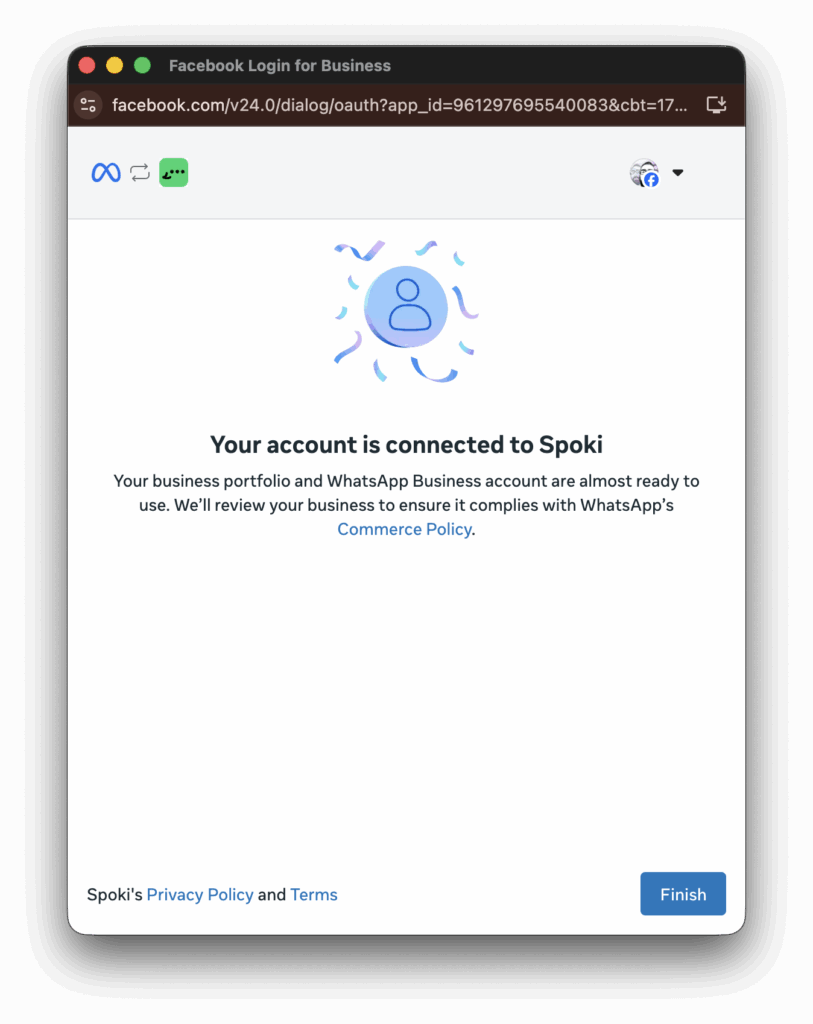
7. Onboarding was successful: you can return to the platform and monitor the connection status from the “Channels” section.
Here are the translations:
#
FAQ’s
- Did I paste the wrong ID?
If you pasted the wrong ID, contact our customer service so we can help you resolve the issue. - The notification failed in Business Manager, what should I do?
If the notification returns an error, you can proceed with the standard flow by disconnecting and reconnecting your WhatsApp Business. Follow this procedure. - How long does Business Manager approval take?
The estimated approval time is 24-48 hours. We suggest checking the status of your request periodically. - How long does name approval take?
The estimated approval time is 24-48 hours. - How do I access Business Manager?
You can access it via this link. - I’ve reached the maximum number of WABAs on my Meta account, what should I do?
Check that your Business Manager can actually host all the WhatsApp Business Accounts (WABA) you’re migrating. If you’ve reached the limit, you’ll need to upgrade directly from Business Manager before proceeding with the migration. - I lost my SIM card, what should I do?
Contact your phone carrier and request a new SIM card while keeping the same phone number. - I have a Meta (+1) number linked, what happens?
If you have an American number linked, it’s possible that it cannot be migrated. In this case, you’ll need to request a new number.