
After you have created a chat button to place on your site, you can link an automated response to that button.
Go to
Select Start Trigger >
At this point, you will need to select the button previously created.
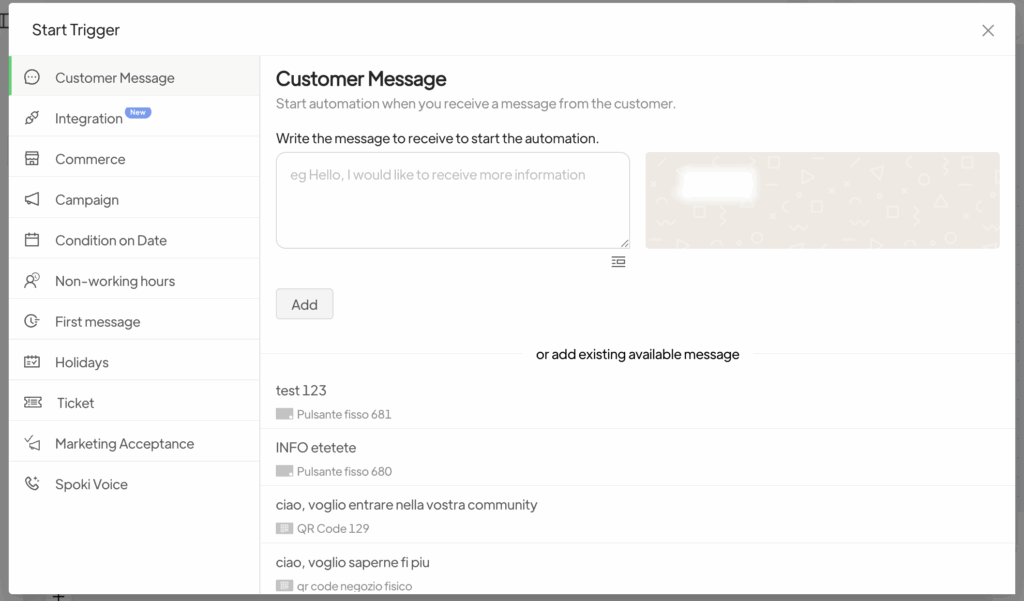
In this way, an automation will be created that is triggered each time a customer clicks the chat button. It will send to your number exactly the message you predefined through the button.
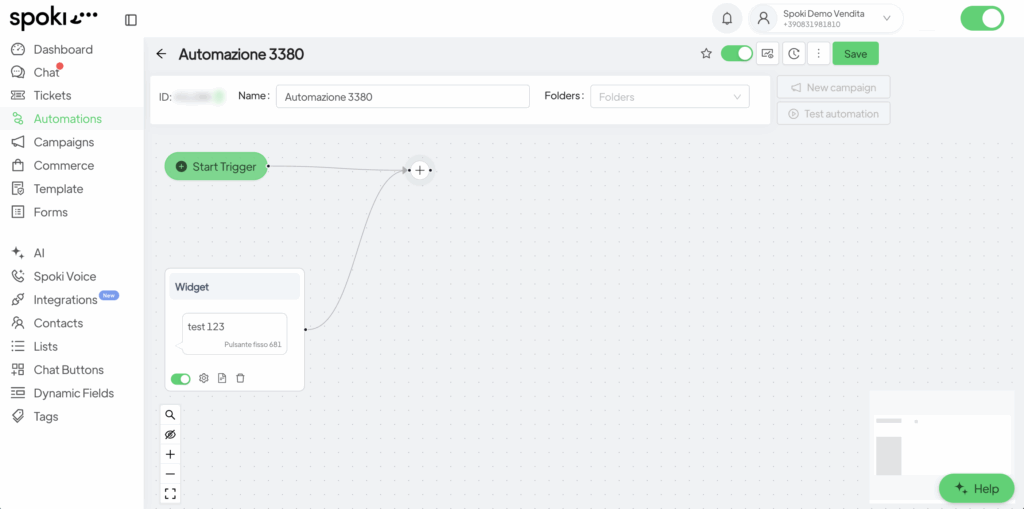
From here, you can continue by creating the automation with any steps you prefer (see Automations for more details).





