Platform version: 19.26.0 · Feature
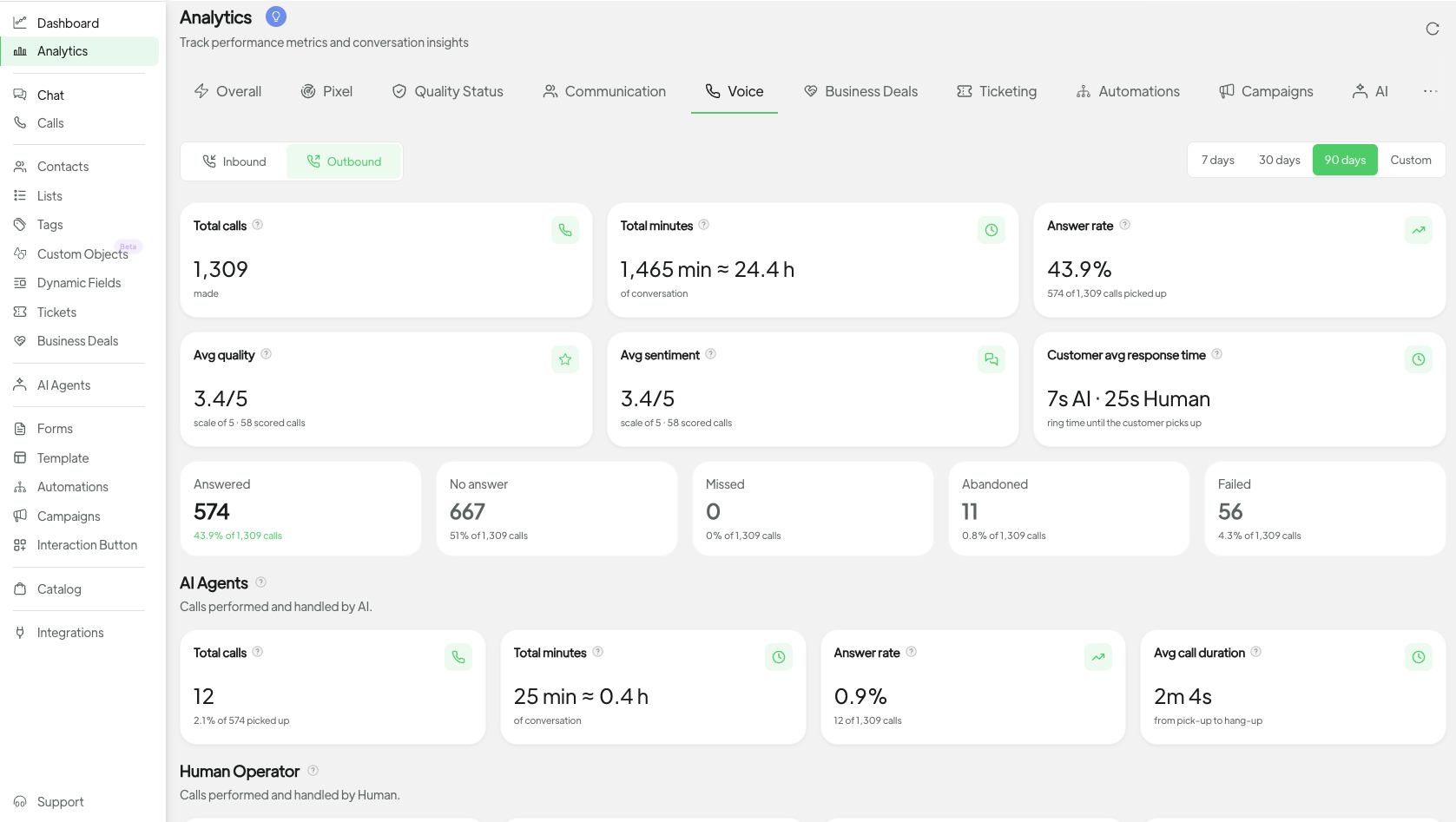
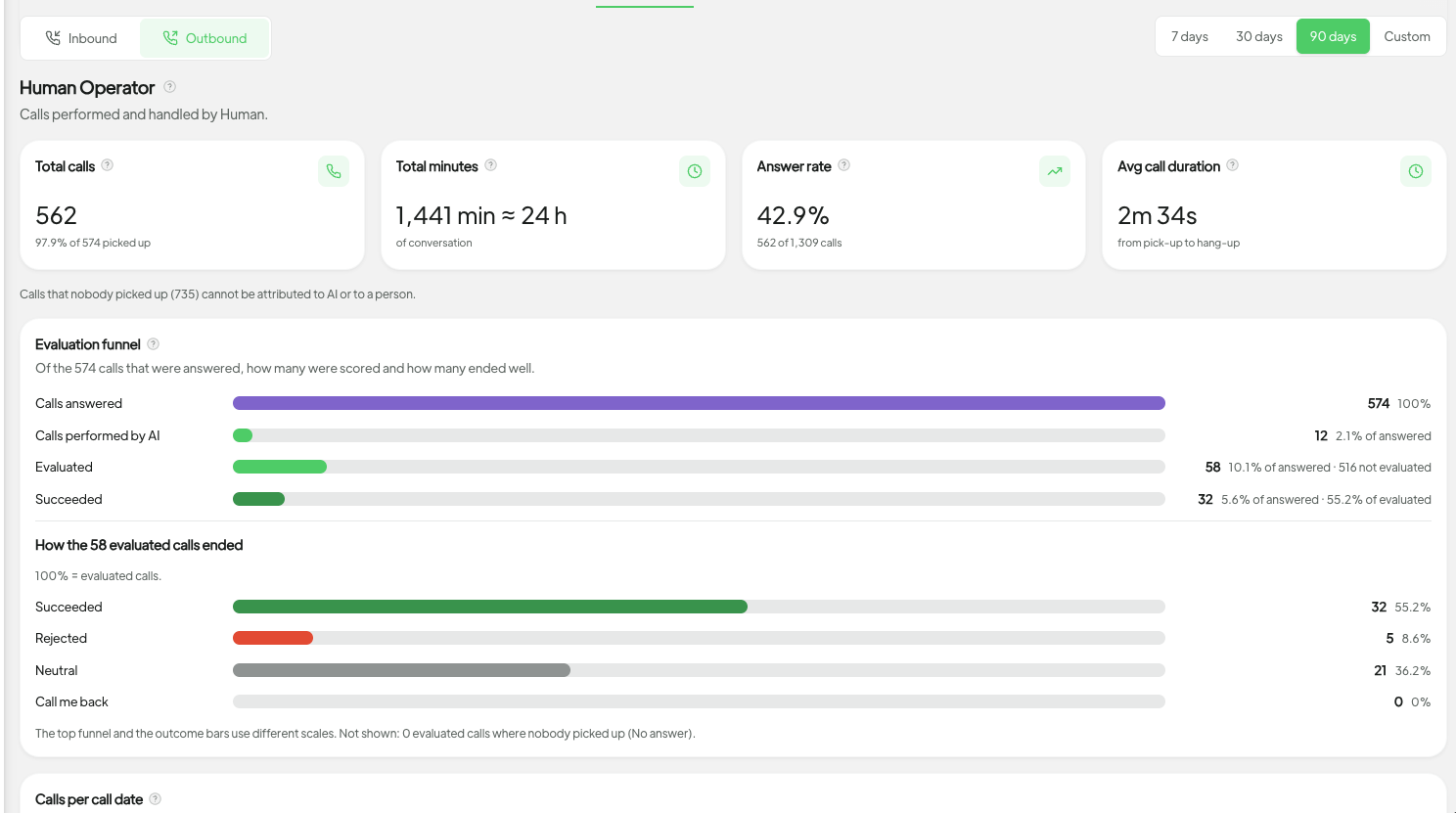
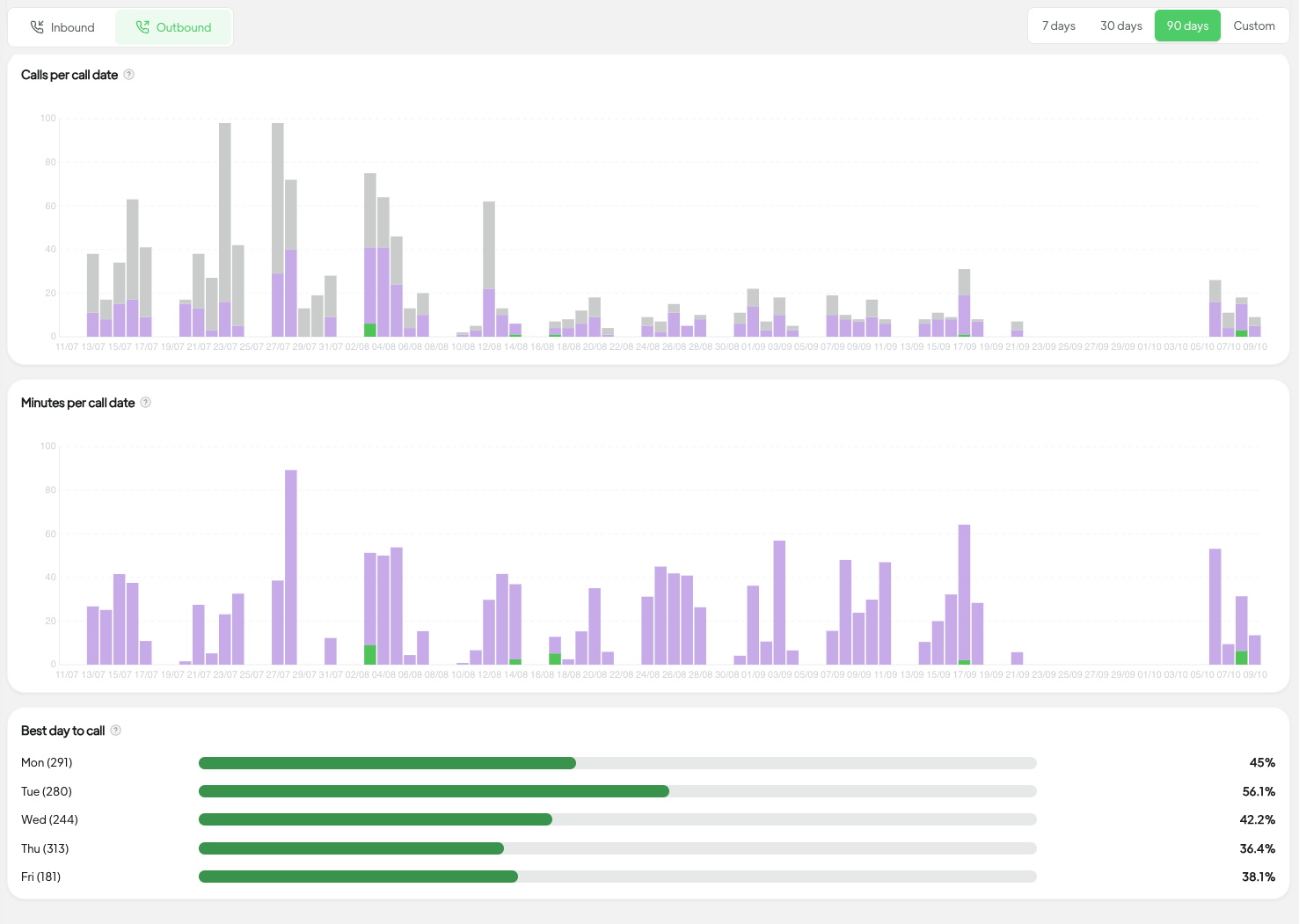
You can now track Spoki Voice calls in Analytics. Open the Voice tab to see inbound and outbound call volumes, minutes of conversation, and how AI agents compare with human operators over the period you pick.
Switch between Inbound and Outbound above the charts, then use the same period picker as the other Analytics tabs. You also get answer rates, average duration, evaluation outcomes, and which weekdays perform best.
Where to find it: Analytics → Voice. The tab appears for accounts that can use Spoki Voice.